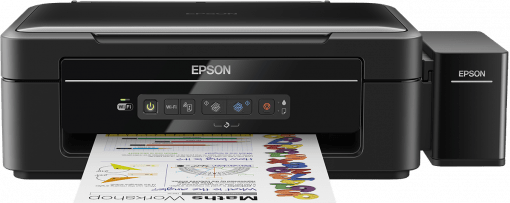

Download EPSON EcoTank L386 Driver
From the list of OS given below, choose your preferred operating system. Use the download button associated with your chosen OS to get your EPSON EcoTank L386 driver setup file.
Driver Download Links
- EPSON L386 driver for Windows 2000, XP, Vista (32bit) – Download (36.96 MB)
- EPSON L386 driver for Windows XP, Vista (64bit) – Download (39.72 MB)
- EPSON L386 driver for Windows 7, 8, 8.1, 10 (32bit) – Download (36.96 MB)
- EPSON L386 driver for Windows 7, 8, 8.1, 10, 11 (64bit) – Download (39.72 MB)
- EPSON L386 driver for Mac OS 10.x, 11.x, 12.x, 13.x, 14.x, 15.x, 26.x – Download (113.53 MB)
- EPSON L386 driver for Linux and Ubuntu – Scanner Driver 32bit / Scanner Driver 64bit
Linux printer driver is not available. Try installing it using Epson Universal Driver.
OR
Download the driver directly from the EPSON EcoTank L386 official website.
How to Install EPSON EcoTank L386 Driver
Once you have downloaded the latest version driver of your Epson printer, now is the time to install them on your computer by using their proper installation method. Therefore, I have shared below the detailed installation guide for the full feature driver and basic driver (inf driver). Read the guide related to your driver type, then follow its instructions to properly install the Epson L386 printer drivers on your computer.
1) Full Feature Driver
In the following steps, I will explain the installation process of the full feature Epson L386 driver on a Windows computer. Although the installation process has been described for the Windows 10 OS, but you can follow these steps for all the supported versions of the Windows operating system.
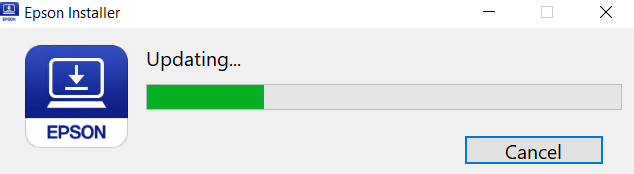
- Run the full feature driver file, then wait as the Epson Installer loads itself on your computer.
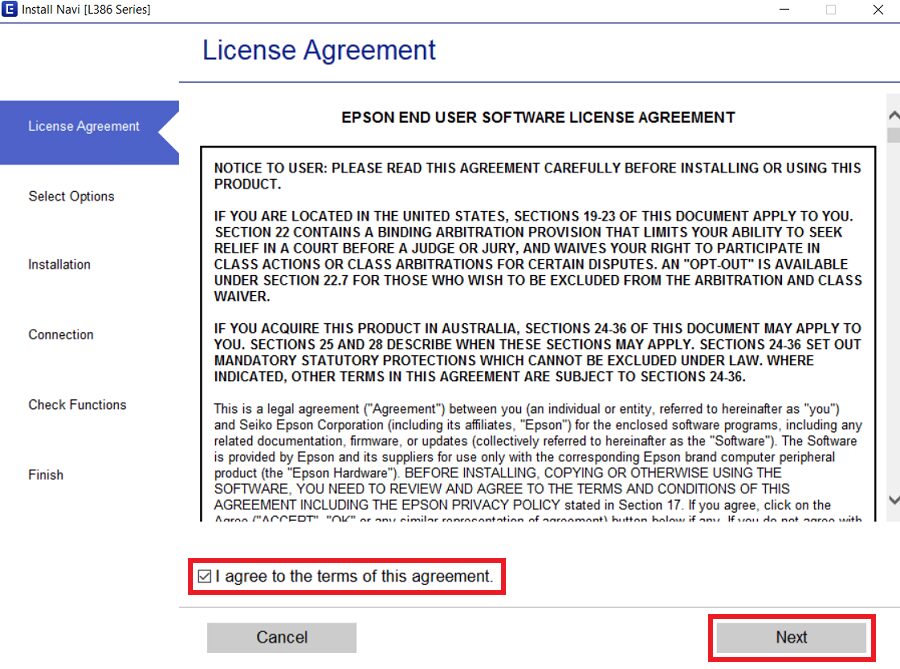
- In the License Agreement screen, select the ‘I agree to the terms of this agreement’ option, then click on the ‘Next’ button.
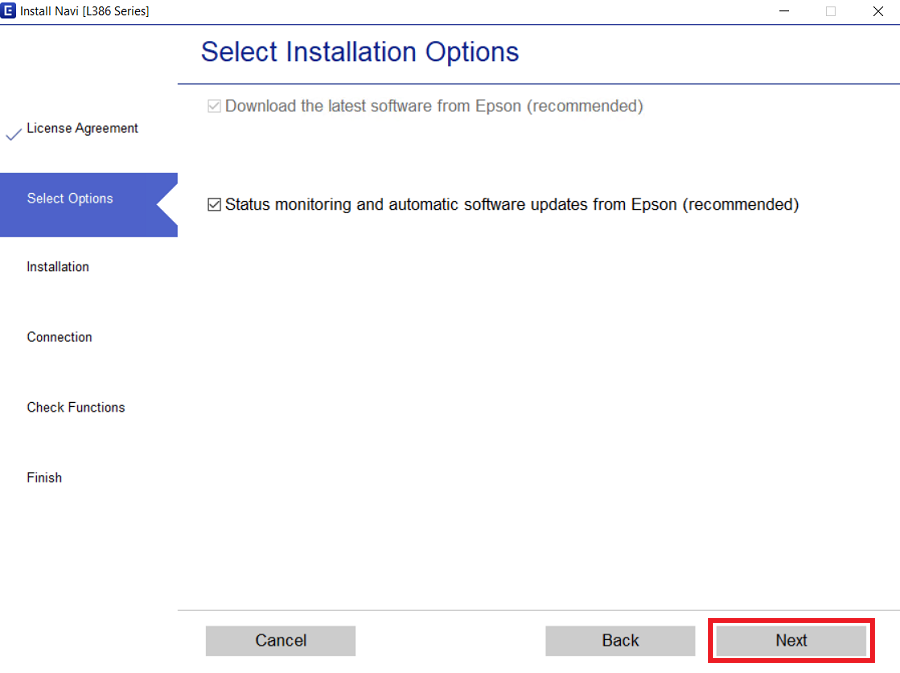
- In the Select Installation Options screen, select your preferred options, then click on the ‘Next’ button to proceed.
- Wait for the installer program to download the drivers and software on your computer.
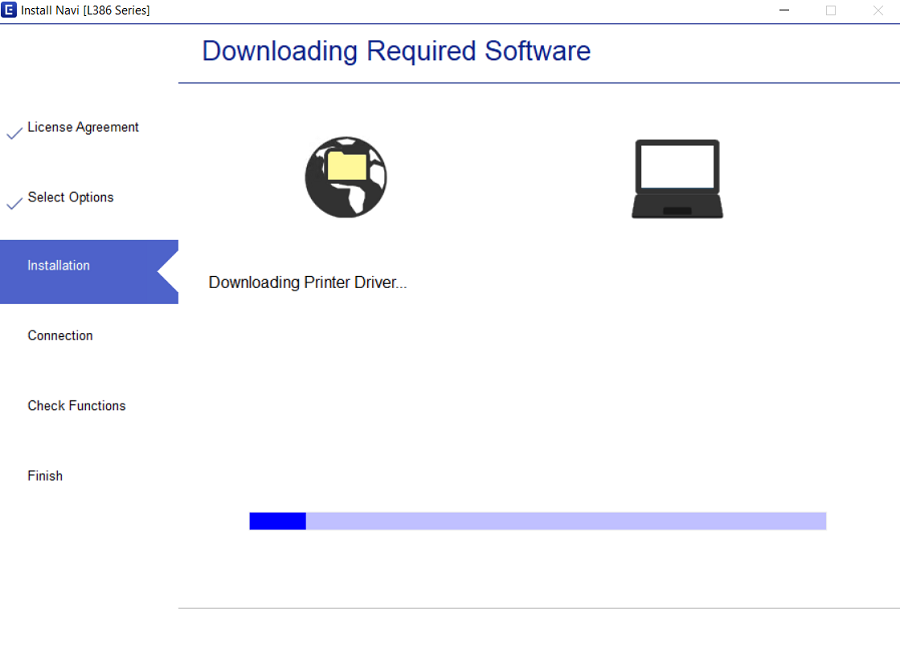
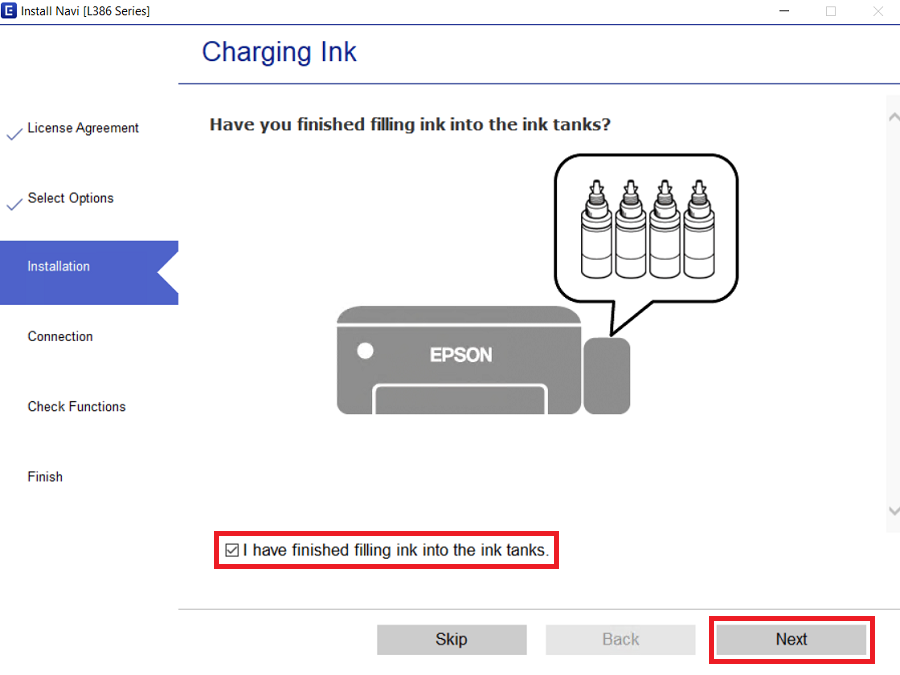
- Make sure that the ink tanks of your printer are properly filled with the ink from the ink bottles, then select the ‘I have finished filling ink into the ink tanks’ option. Finally, click on the ‘Next’ button.
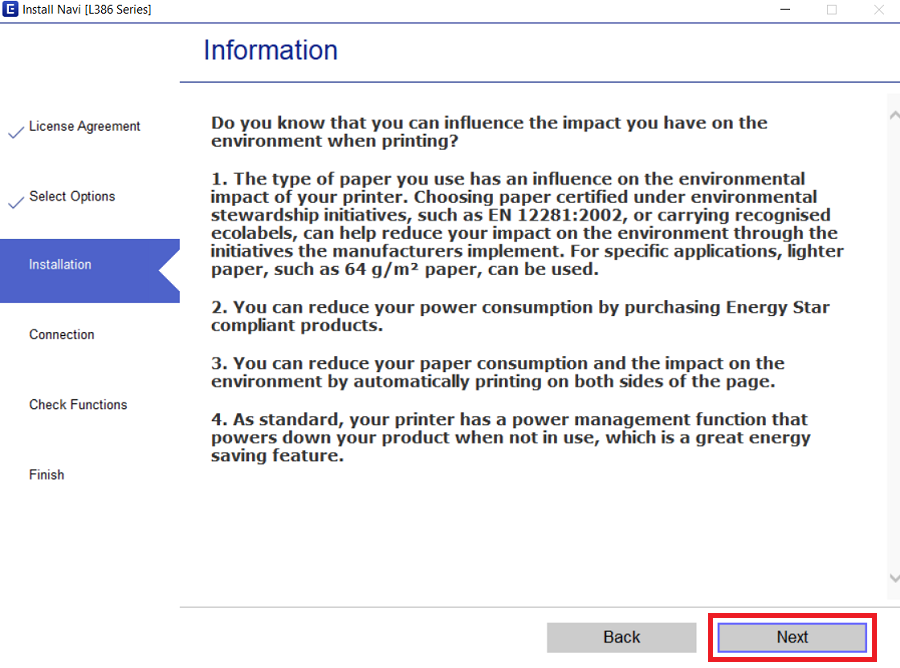
- Read the displayed information, then click on the ‘Next’ button.
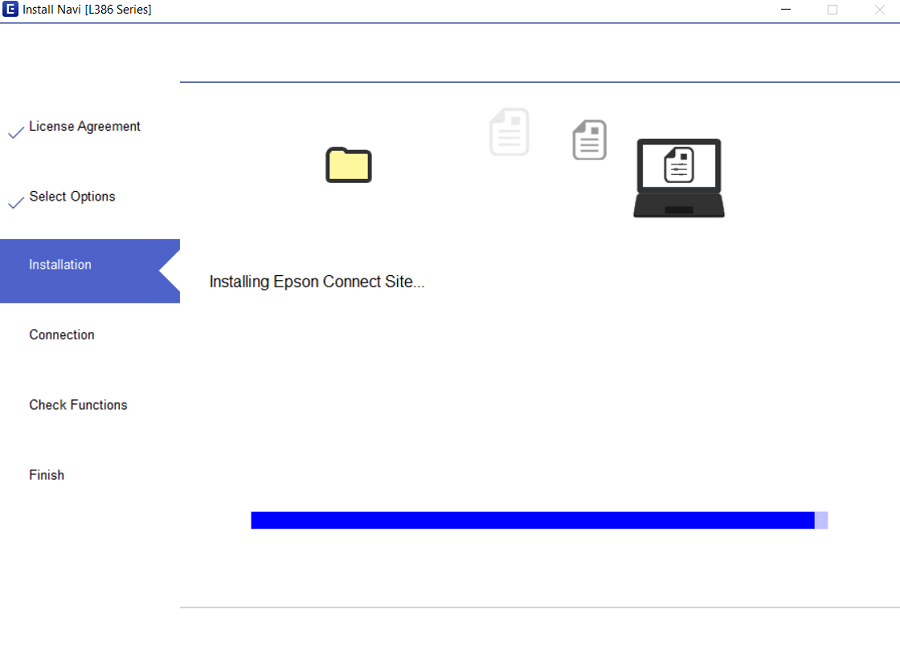
- Wait for the drivers and software to install on your computer.
- In the Select Your Connection Method screen, select the ‘Connect via USB cable’ option, then click on the ‘Next’ button. If you want to connect your printer wirelessly, then select that option and proceed accordingly.
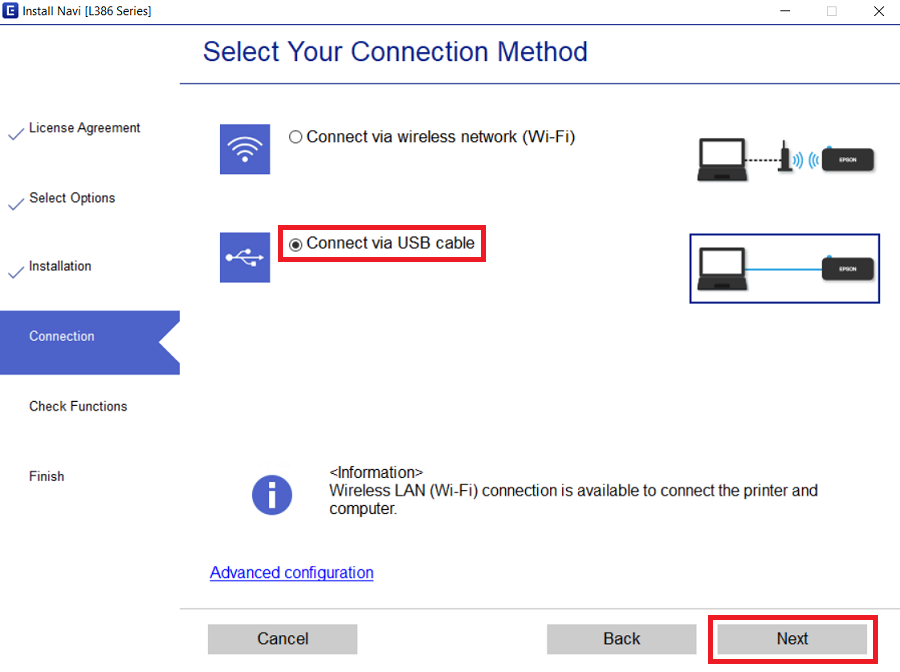
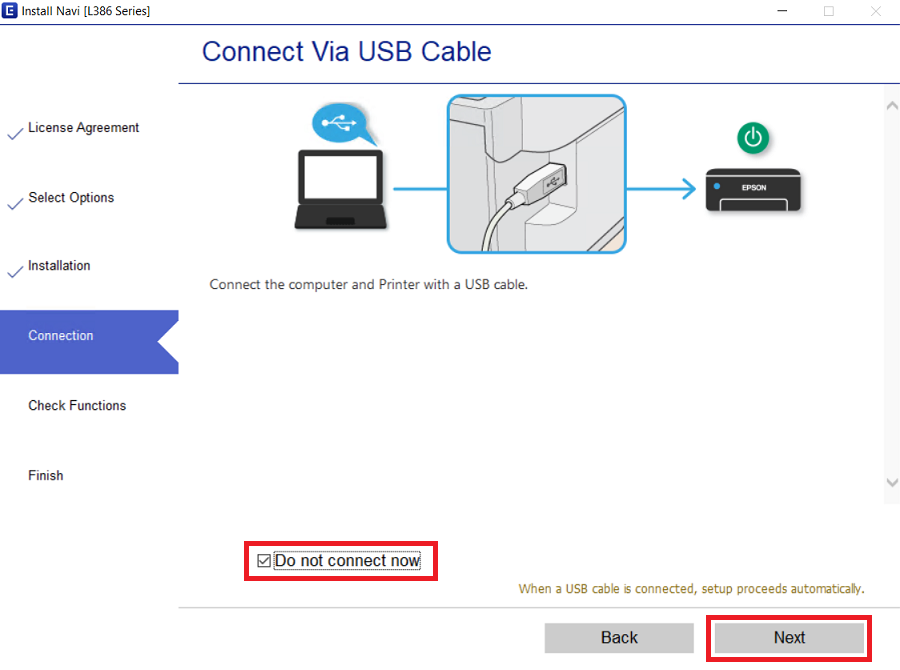
- If you want to connect your printer right now, then use a USB cable to connect your printer with your computer and make sure your printer is switched on. Since, I will connect my printer later, I chose the ‘Do not connect now’ option. Finally, click on the ‘Next’ button.
- In the Setup Complete screen, close the installer program by clicking on the ‘Finish’ button.
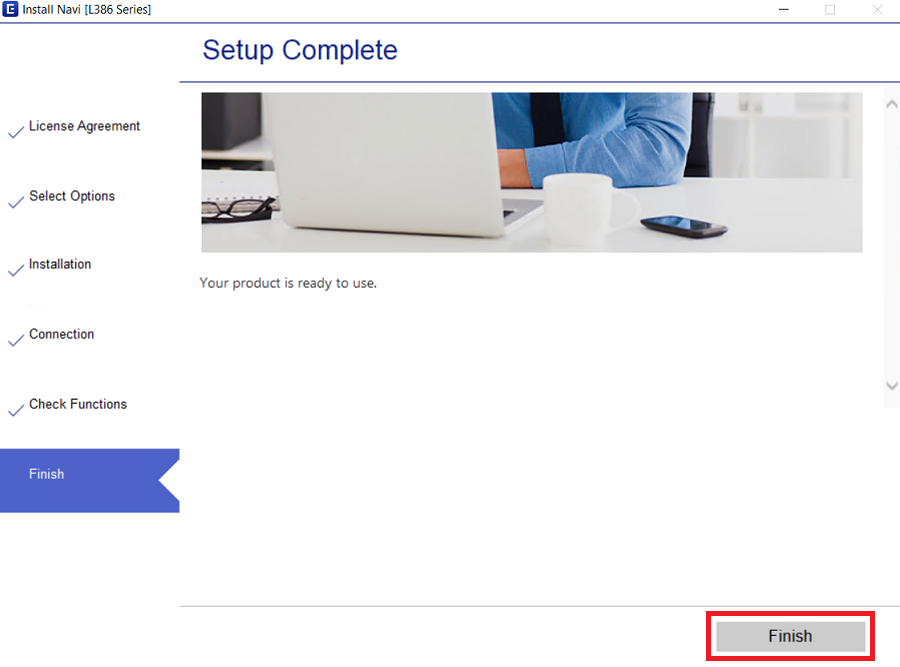


That’s it, installation of the Epson L386 driver package has been successfully completed. All you need to do is to connect your printer via USB cable and it will be ready for use.
2) Basic Driver
You also have the option to install this printer by using its Epson L386 basic driver, if you want to use this installation option, then read and follow the instructions of the installation guide shared below.
How to install driver manually using basic driver (.INF driver)
Specifications
The top print speed for this printer is 33 ppm for black and 15 ppm for color prints. The maximum print resolution offered by this printer is 5760 x 1440 dpi. Overall it is a very good InkTank printer.
Functions of Printer Driver:
The function of a printer driver for all-in-one printing devices is much more than creating a communication channel between your printer and your computer. Therefore, for this multi-function printer you must use the full EPSON EcoTank L386 driver while installing it on your computer.
Supported Operating Systems:
- Windows XP to Windows 11 (32bit/64bit)
- Mac OS X 10.5 to 10.15, 11.x Big Sur, 12.x Monterey, 13.x Ventura, 14.x Sonoma
- Linux and Ubuntu
EPSON L386 Ink Details: Ink for this printer is available in Black (C13T66414A), Magenta (C13T66434A), Cyan (C13T66424A) and Yellow (C13T66444A) ink bottles.