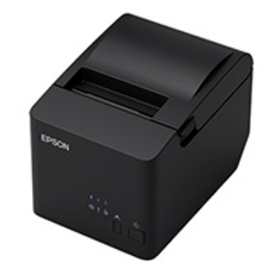

In this guide, you will get download links of the latest version drivers of this printer model. Additionally, I have provided detailed installation instructions for these drivers so that you can install them without any problems.
Download Epson TM-T83 / T83II / T83III Printer Driver
- Find the OS version where you want to install this printer.
- Click on the associated download button.
Epson TM-T83 / T83II / T83III Printer Driver for Windows
Basic printer driver for Windows XP, Vista, 7, 8, 8.1 (32, 64-bit)
Download (32, 64-bit)
File Name: TMUSB710c.zip
Size: 699.24 KB
Version: 7.10c
Type: Basic driver
Language: All Language
Driver Pack Contains: Printer driver
————————————————————
Advanced printer driver for Windows 7, 8, 8.1, 10, 11 (32, 64-bit)
Download (32, 64-bit)
File Name: APD_612_T83III_WM.zip
Size: 35.20 MB
Version: 6.12
Type: Basic driver
Language: All Language
Driver Pack Contains: Printer driver
————————————————————
Basic printer driver for Windows 10, 11 (32, 64-bit)
Download (32, 64-bit)
File Name: TMUSB800e.zip
Size: 1.54 KB
Version: 8.00e
Type: Basic driver
Language: All Language
Driver Pack Contains: Printer driver
————————————————————
Full feature driver for Windows Server 2003 to 2025 (32, 64-bit)
Download
————————————————————
Firmware for Windows
Download
File Name: TM-T20X_E_Firmware_Updater_Ver.13.08.zip
Size: 33.02 KB
Version: 13.08 ESC/POS
Type: Firmware updater
Language: All Language
Driver Pack Contains: Firmware updater
Driver for Mac
Printer driver for macOS 10.10 to 10.15, 11.x, 12.x, 13.x, 14.x, 15.x, 26.x
Download
File Name: TMPrinterInstaller_301_41.zip
Size:1.99 MB
Type: Basic driver
Version: 3.0.1
Language: English
Driver Pack Contains: Printer driver
Driver for Linux
Basic printer driver for Linux and Ubuntu
Download (32, 64-bit)
File Name: tmx-cups-src-ImpactReceipt-3.0.0.0_pck_e.zip
Size: 51.10 KB
Version: 3.0.0
Type: Basic driver
Language: All Language
Driver Pack Contains: Printer driver
OR
Download the driver directly from the Epson TM-T83 / T83II / T83III printer official website.
How to Install Epson TM-T83 / T83II / T83III Printer Driver
In the following steps I will explain the download and installation process for the latest Epson TM-T83 / T83II / T83III printer driver:
Step 1: Find the Driver
- You will get the latest driver from the Epson website or from the download section above.
- In the Epson website, visit the support/downloads page.
- Type name of the printer model (TM-T83 / T83II / T83III), then select your preferred OS version.
Step 2: Download the Driver
- Click the download link of your preferred driver.
- Wait for the download of the compressed file to complete.
Step 3: Install the Driver
- Extract the contents of the downloaded file, then find and run the ‘APD_612_T83III.exe’ file.
- Click on ‘Next’ button.
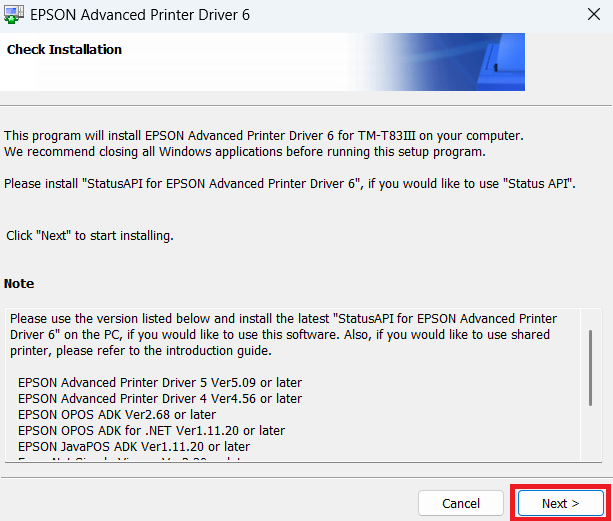
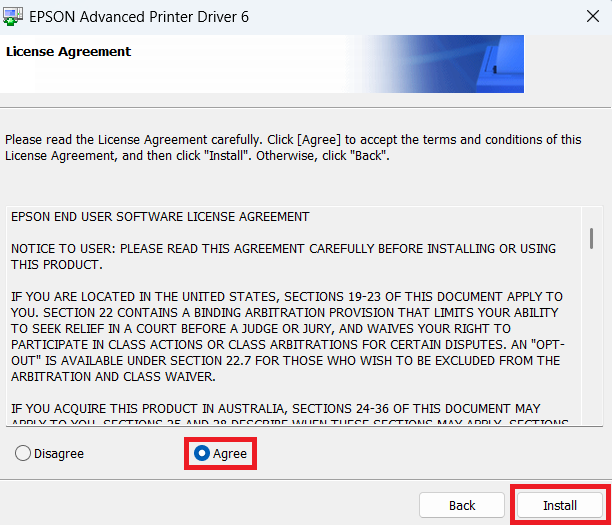
- Click ‘Agree’ to accept the license agreement, then click on ‘Install’.


Step 4: Connect the Printer
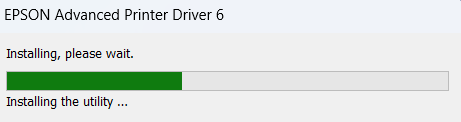
- Wait for the installation of the driver files.
- Select ‘USB’ port option, then connect your printer with your computer via USB cable.
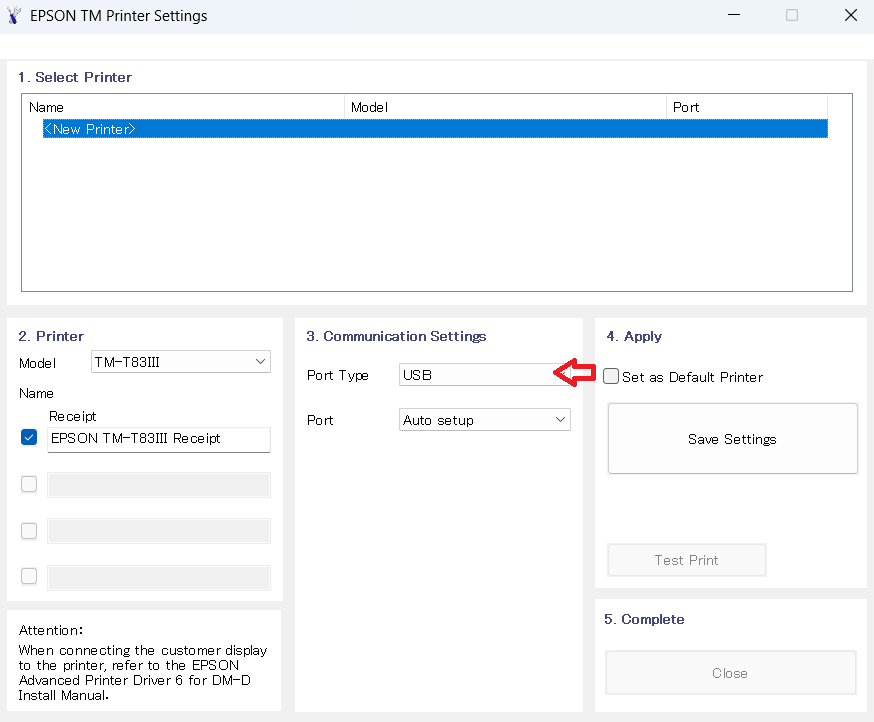
- Follow the prompts to complete printer installation.


More information about installation:
- How to install the printer driver with its installer
- How to install the printer driver manually using its basic driver
That’s it, installation of the Epson TM-T83 / T83II / T83III printer has completed.
More details about the drivers
Hardware Name: TM-T83 / T83II / T83III
Hardware ID: VID_0x04B8&PID_0x0E23
Connection Type: USB/Ethernet/Parallel/Serial connections (depends on model number)
Installer Type: Setup File (with Installer)
Driver Compatibility
This printer supports Windows XP and higher OS versions, Mac 10.10 and higher OS versions, and Linux/Ubuntu operating systems.
Driver Update
You should always keep the drivers of this printer up-to-date with their latest version. This can help you in availing the best performance of your printer.
Supported Operating Systems
Windows XP, Vista, 7, 8, 8.1, 10, 11 (32, 64-bit)
macOS 10.x, 11.x, 12.x, 13.x, 14.x, macOS 15 Sequoia, 26.x Tahoe
Linux