


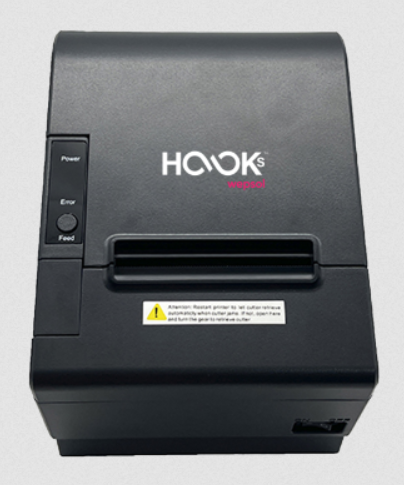
HOOKS SKRIPTA TH811 is a billing thermal POS 80 mm printer used to print invoices and receipts. Its print speed is much higher than other POS printers in the market. This hooks is presented by Websol. You can easily install this printer on a computer or to your POS system. To install it, you will require to setup it on a computer. I am going to share its driver download link and installation guide here. So let’s start the installation process by downloading the drivers first.
Download Hooks Skripta TH811 Printer Driver
To download the TH811 driver, you just need to determine the operating system version of your computer and click on the below given download list accordingly. This printer supports: Windows 11, 10, 8, 8.1, 7, Vista, XP (32bit / 64bit), Server 2000 to 2025, Linux, Ubuntu, Mac 10.x, 11.x, 12.x, 13.x, 14.x, macOS 15 Sequoia Operating Systems.
Driver for Websol Hooks Skripta TH811 Printer
Type: Full feature driver Operating System: Windows 11, 10, 8, 8.1, 7, Vista, XP, Server 2000 to 2025 (32bit / 64bit) File Size: 7.23 MB Version: 2.3 Download DriverSoftware (Printer Settings Utility) download for Windows → Download
Brochure download → Download
How to Install Hooks Skripta TH811 Printer Driver
After downloading, it is very important to install the downloaded printer driver properly on a computer. If anyhow the printer doesn’t install properly with the proper steps then driver conflict may occur. I suggest you to please read the following instructions to read the drivers.
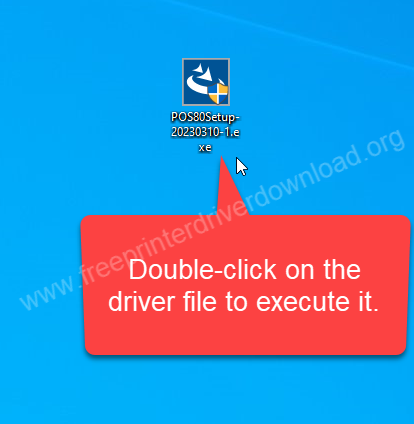
Step 1: Double-click on the “POS80Setip-20230310-1.exe” file to execute the driver installer.

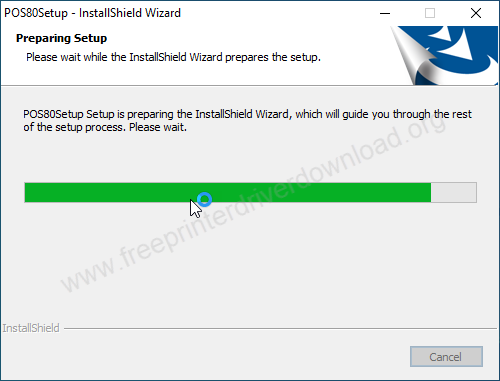
Step 2: Please wait while preparing the driver installer.

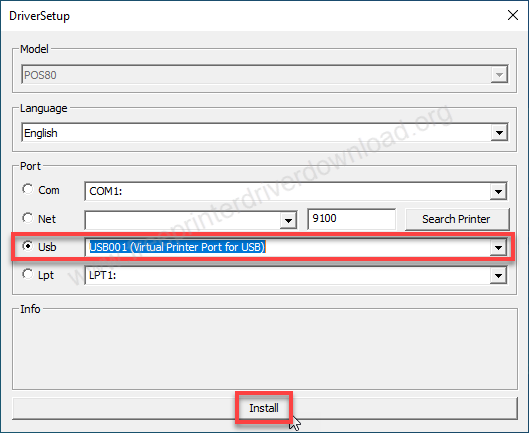
Step 3: Select the USB port and then click on install.

Step 4: Select the option: “Always trust software from…..” and then click on install.

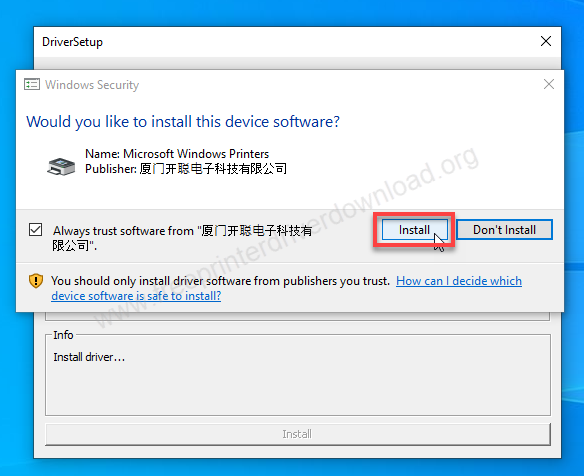
Step 5: Click on Install.
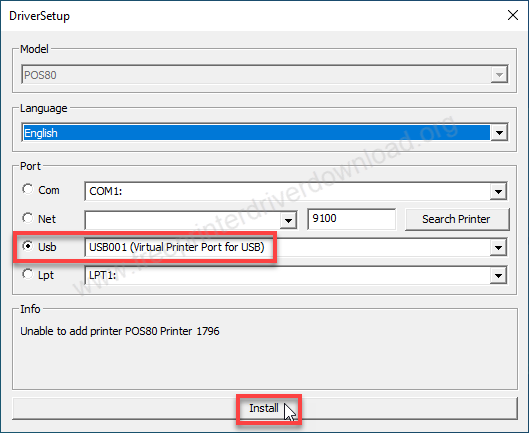
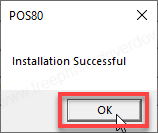
Step 6: Installation has been successful. Click on OK.

Specifications:
Hooks Skripta TH811 is an 80mm thermal POS printer. The main highlights of this printe ris speed – it has 300mm per second along with an automatic cutter feature – it does cut the paper when the printing gets finished. It has 4MB RAM to keep and manage print commands and its data.
As it is a thermal printer, it doesn’t require any ink or toner – it uses a thermal heating technology. Loading the thermal paper roll into the printer is really easy. This printer is suitable for retail shops and hospitlality. The printer is a heavy duty printer.
It has three connectivity options: USB, LAN – Ethernet and Bluetooth – but the bluetooth feature comes only with TH81B-WEB model number. You will require the latest version driver which is already given above. This printer supports Windows 11, 10, 8, 8.1, 7, Vista, XP (32bit / 64bit), Server 2000 to 2025, Linux, Ubuntu, Mac 10.x, 11.x, 12.x, 13.x, 14.x, macOS 15 Sequoia Operating Systems.

