


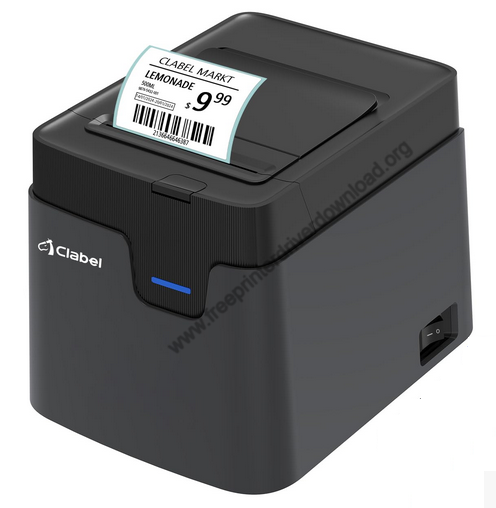

Therefore, I have provided download links in this guide which will allow you to download for free the latest version drivers of this printer. Also, I have shared installation guide of these drivers.
Download Chiteng Clabel CT321D Printer Driver
- Find your preferred OS version.
- Click on its download button.
Chiteng Clabel CT321D Printer Driver for Windows
Full feature driver for Windows XP, Vista, 7, 8, 8.1, 10 (32-bit)
Download (32-bit)
File Name: clabel-trade-2024.10.10.11-x86.exe
Size: 131.0 MB
Version: 1.5
Type: Full feature driver
Language: English
Driver Pack Contains: Printer driver and software
————————————————————
Full feature driver for Windows XP, Vista, 7, 8, 8.1, 10, 11 (64-bit)
Download (64-bit)
File Name: clabel-trade-2024.10.10.11-x64.exe
Size: 177.0 MB
Version: 1.5
Type: Full feature driver
Language: English
Driver Pack Contains: Printer driver and software
————————————————————
Basic printer driver for Windows XP, Vista, 7, 8, 8.1, 10, 11 (32, 64-bit)
Download (32, 64-bit)
File Name: ct321d-print-driver.zip
Size: 3.2 MB
Version: 1.5
Type: Basic driver
Language: English
Driver Pack Contains: Printer driver
————————————————————
Full feature driver for Windows Server 2003 to 2025 (32, 64-bit)
Download
Driver for Mac
Printer driver for macOS 10.x, 11.x, 12.x, 13.x, 14.x, 15.x, 26.x
Download
————————————————————
Editing software for Mac OS
Download
File Name: editing-software-mac.dmg
Size: 76.2 MB
Version: NA
Type: Software
Language: English
Software Details: Editing Software
Driver for Linux
Basic printer driver for Linux and Ubuntu
Download
OR
Download the driver directly from the Chiteng Clabel CT321D printer official website.
How to Install Chiteng Clabel CT321D Printer Driver
Follow the instructions given below to download and install the latest Chiteng Clabel CT321D printer driver:
Step 1: Find the Driver
- You can download for free the latest drivers from the Clabel website or from the Downloads section above.
- In the Clabel website, visit the support/downloads page.
- Enter your printer model details (CT321D) and search for the drivers of your printer.
Step 2: Download the Driver
- Click on the download link related to your OS version.
- Wait for the setup file to download.
Step 3: Install the Driver
- Locate the newly downloaded driver setup file, then run it.
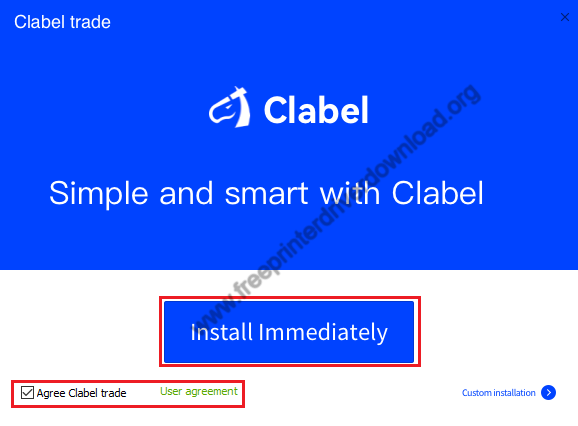
- Accept the user agreement, then click on ‘Install Immediately’ button.

Step 4: Connect the Printer
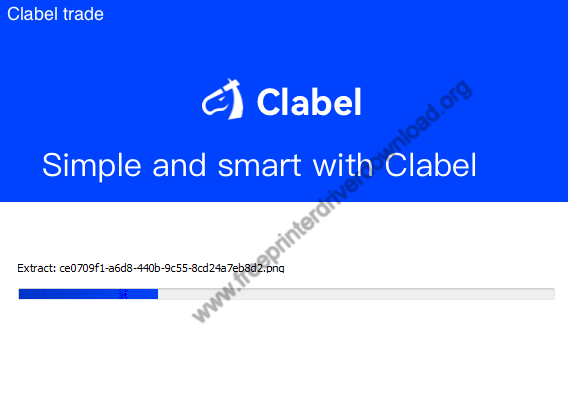
- Make sure your printer is connected to the USB port of your computer, and wait for the drivers to install.
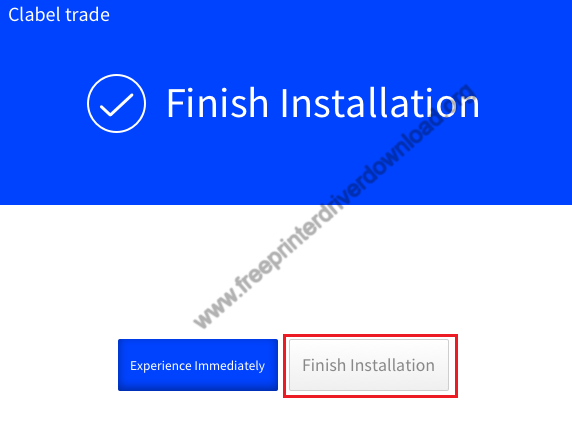
- Click on ‘Finish Installation’ to complete installation.


More information about installation:
- How to install the printer driver with its installer
- How to install the printer driver manually using its basic driver
That’s it, you have successfully installed the Chiteng Clabel CT321D printer.
More details about the drivers
Hardware Name: CT321D
Hardware ID: USBVID_1A86&PID_7523
Connection Type: USB/Bluetooth Connection
Installer Type: Setup File (with Installer)
Driver Compatibility
This printer is compatible with the Windows 7 or later OS versions, and macOS 11 or later OS versions.
Driver Update
Latest version of a printer driver has no known bug in them, which makes them the best support software for your printer. Therefore, you must regularly update your printer drivers.
Supported Operating Systems
Windows 11, 10, 8, 8.1, 7, Vista, XP
Mac 11 or later

