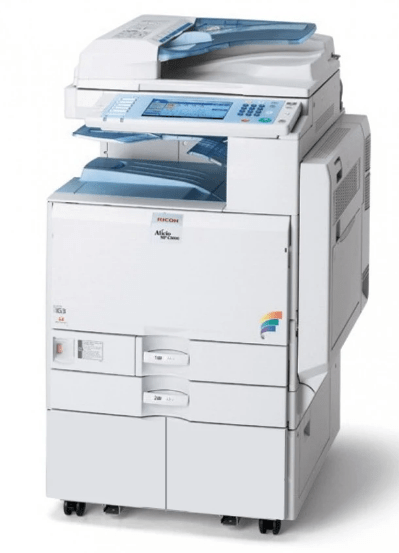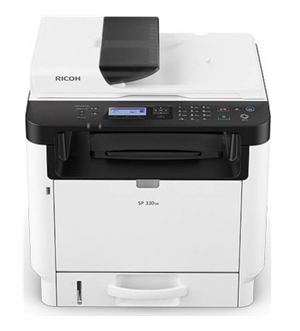
Ricoh SP 330SN is a multifunctional laser printer which can print, scan and copy the documents. In offices, it can work like a photocopy machine. To use all its features through a computer, its latest driver should be installed on that computer. Once the driver is outdated, try to get the latest one – drivers should be updated.
You can either download the driver from its official website or download the latest driver from the download section given below. We always keep the latest drivers. After downloading, it is very important to install it in the right way. To make the installation process easy, I have prepared a step-by-step installation guide. Please check it out, let’s start the installation process by downloading the drivers first.
Download Ricoh SP 330SN Printer Driver
To download the driver, go to the download section below and choose the operating system of your computer and click on the download link given below.
Driver for Ricoh SP 330SN
Type: Full feature driver Operating System: Windows 11, 10, 8, 8.1, 7 File Size: 136 MB Version: 1.3 Download DriverOR
You may download the driver from Ricoh’s official website.
How to Install Ricoh SP 330SN Printer Driver on Windows
After downloading the driver, right installation process must have to follow. Therefore, I have given a step-by-step installation guide which will help you to install the driver in a right way.
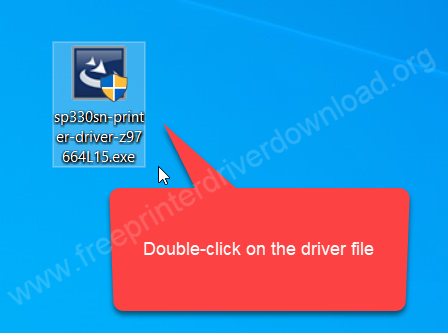
Step 1: Double-click on the driver file “sp330sn-printer-driver-z98664L15.exe” to execute the installer.

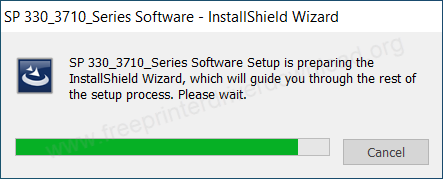
Step 2: Please wait, it is preparing the driver file.

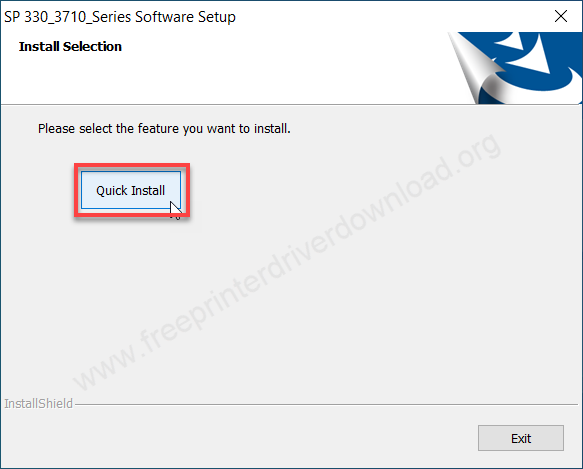
Step 3: Click on “Quick Install” to continue.

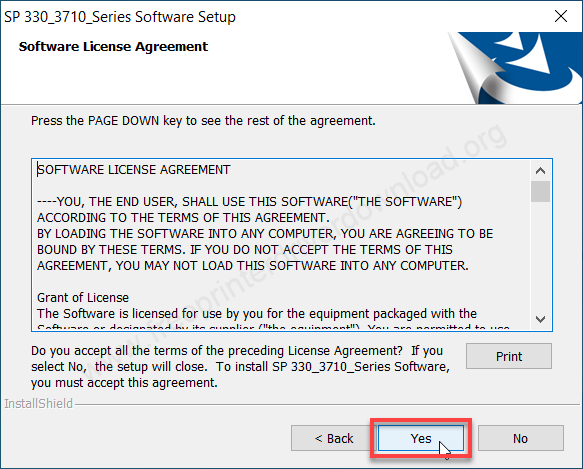
Step 4: Click on “Yes” to continue.
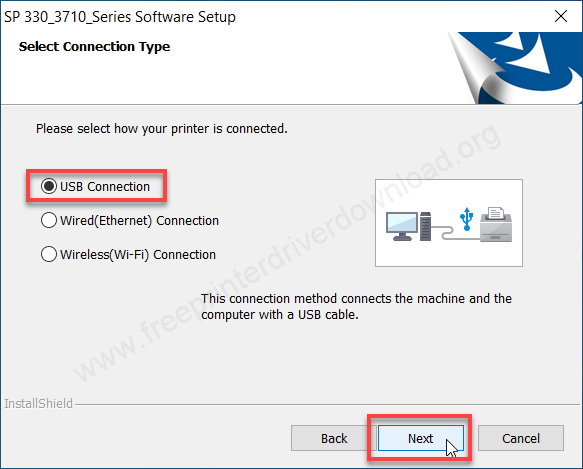
Step 5: Choose the preferred connection type and click on Next.
Step 6: Connect the USB cable and click on Yes.
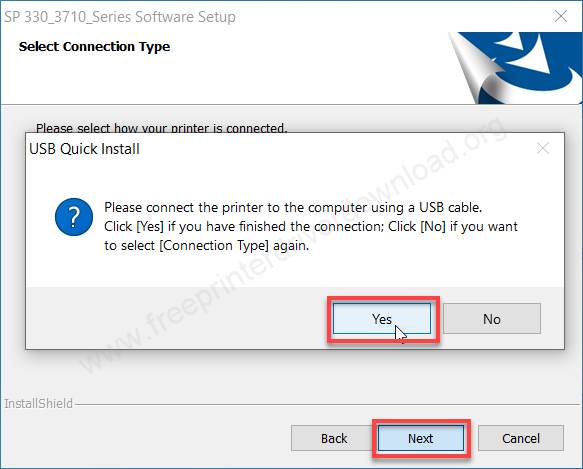
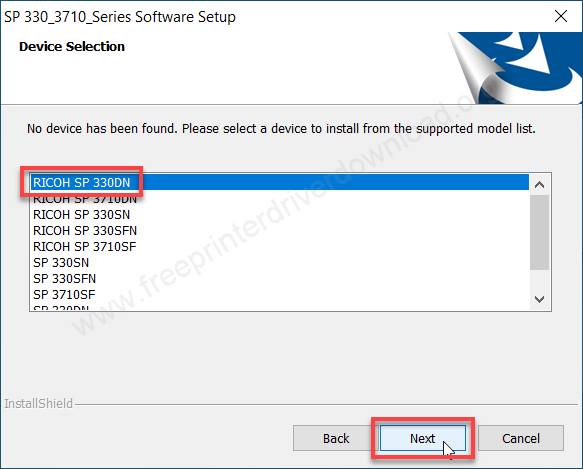
Step 7: Select Ricoh SP 330DN and click on Next.
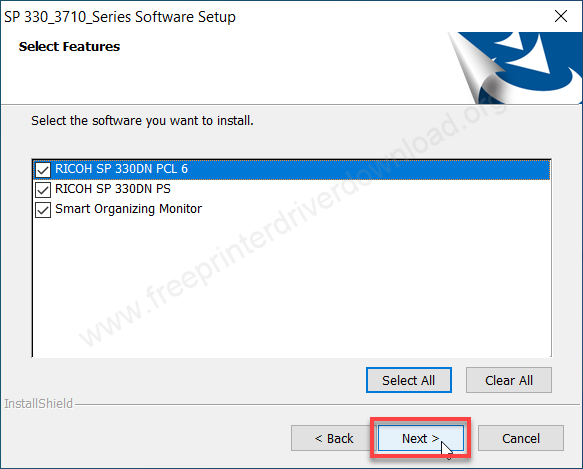
Step 8: Select all the check boxes and click on Next.
Step 9: The setup is installing the drivers, so please wait.


Step 10: The printer driver has been installed successfully. Click on Finish to complete the installation.
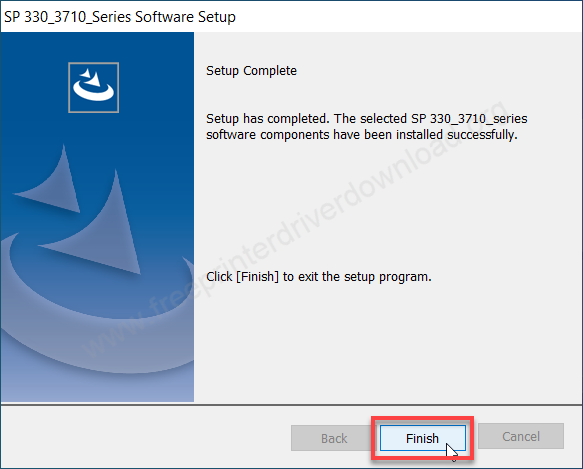
Step 11: The Ricoh SP 330SN printer is ready to print. Enjoy printing.
Specifications & Features
Ricoh SP 330SN is an all‑in‑one laser printer that prints at 32 pages per minute at 1200 DPI resolution, which is considered a good speed for its class. The printer includes built‑in USB, Wi‑Fi, and LAN connectivity, that gives you the freedom to print and scan wirelessly from any corner of your home or office. It also has a tiny display to navigate the printer settings easily which makes it smart.
The copy speed of this printer is around 40ppm at 1200 dpi resolution. You can copy 99 copies at a time. You can enlarge and reduce up to 25% to 400%. The scanning speed of this printer is around 4.5 to 13 IPM at 600 DPI.
This printer supports A4, A5, A6, B5 and B6 paper size. It has one input tray that can hold up to 300 pages and its output tray can hold 50 pages. It has an auto-duplex feature and ADF tray that can hold 35 pages at a time.
It has three connectivity options: Ethernet, WiFi and USB connectivity which makes this printer wireless. It supports Windows 7, 8, 10, 11, Server 2003 to 2026, Mac OS, AirPrint, Google Cloud Print and Linux OS.
The dimensions of this printer are 405mm width, 392mm depth and 407mm height which looks bulky but it is not. The total weight of this printer is around 18KG. This printer processes many print and scanning commands all together because it has 256MB RAM. The power consumption is 1025 watts while printing.