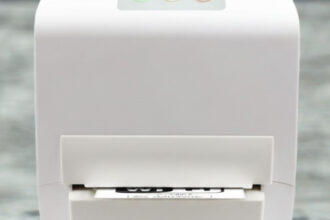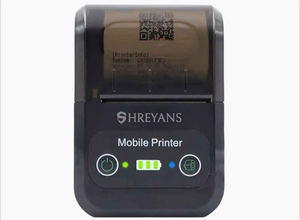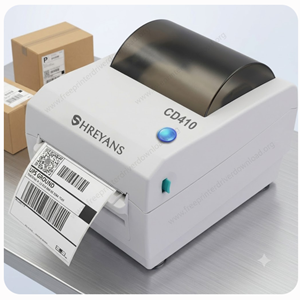
Shreyans CD410 is a 4 inch receipt & label printer with bluetooth connectivity, mostly used in e-commerce billing & shipping purpose. You can easily install it on your PC or on an iPhone & Android phones. If you are planning to install it on mobile phones then you will have to install its android and iphone apps. Or if you are going to install it on your PC, then you will need its driver. Both: Driver & Apps are given in the download section below, so please check out the download section to download the driver.
After successfully download the driver, you need to know the correct method to install the driver. Here in the “How-to” install section, I have given the step-by-step guide which help you to properly install this printer on a PC. This printer support the following operating systems: Windows 11, 10, 8, 8.1, 7, Vista, XP (32bit/64bit), Server 2000 to 2026, Linux, Ubuntu, Mac 10.x, 11.x, 12.x, 13.x, 14.x, macOS 15 Sequoia, 26.x Tahoe Operating Systems.
So, let’s start the printer installation process by downloading the drivers first. Please follow the following steps.
Download Shreyans CD 410 Printer Driver for Windows / Linux / Mac
In order to download the Shreyans CD 410 you just need to click on the download link according to the operating system version of your computer.
Shreyans CD 410 Driver for Windows
- Label driver for Windows 11, 10, 8, 8.1, 7, Vista, XP, Server: Download 1 Label Driver 7.25 MB | Recommended
- Label driver for Windows 11, 10, 8, 8.1, 7, Vista, XP, Server: Download 2 Label Driver | 1.5 MB
- Label Software download for Windows 11, 10, 8, 8.1, 7, Vista, XP, Server: Download (Label Software) | 36.6 MB
- Receipt driver for Windows 11, 10, 8, 8.1, 7, Vista, XP, Server: Download (Receipt Driver) | 1.54 MB
Shreyans CD 410 Driver for Mac
- Full feature driver for macOS 10.x, 11.x, 12.x, 13.x, 14.x, macOS 15 Sequoia, 26.x Tahoe: Download
Shreyans CD 410 Driver for Linux
- Full feature driver for Linux & Ubuntu: Not Available Yet
OR
Alternatively, you can download the same drivers from the Shreyan’s official website.
How to Install Shreyans CD410 Printer Driver on PC
After downloading the driver, right installation process is mandatory. To install this printer properly, follow the following steps.
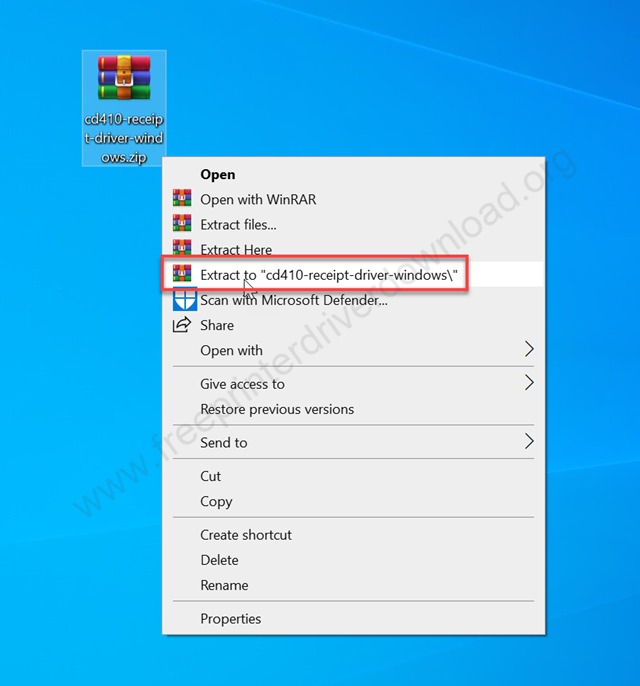
Step 1: Right-click on the downloaded driver’s zip file (cd410-receipt-driver-windows.zip) and click on extract to. If you don’t have this driver, then first download the driver from the above given download section.

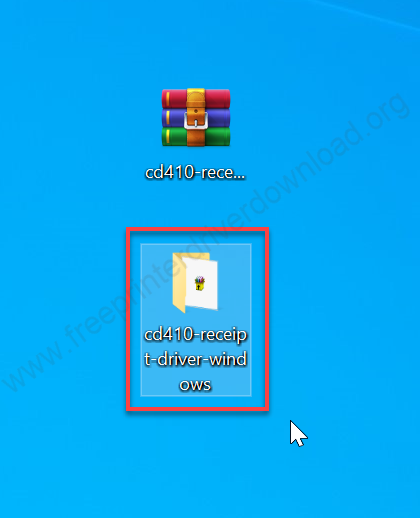
Step 2: A folder will be created on the same location. Just open it.

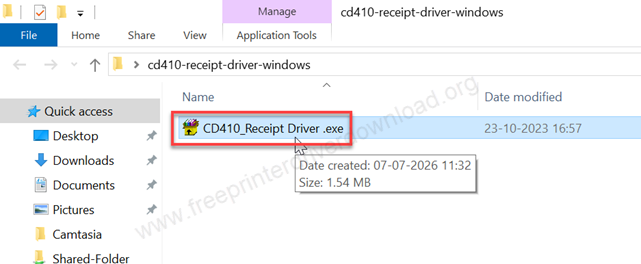
Step 3: Double-click on the CD410_Receipt Driver.exe and wait for that.

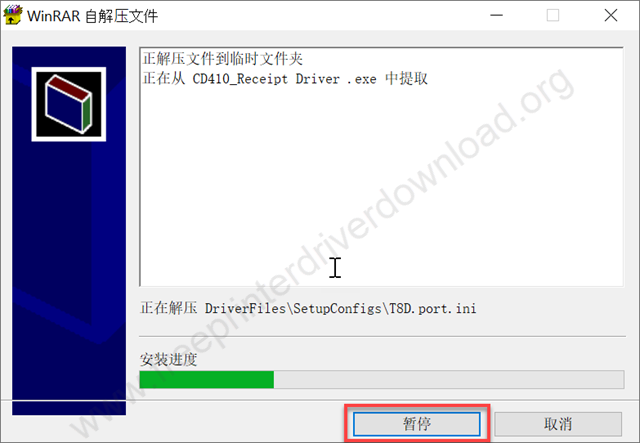
Step 4: It will start installing the Cd410 drivers, so please wait for that.

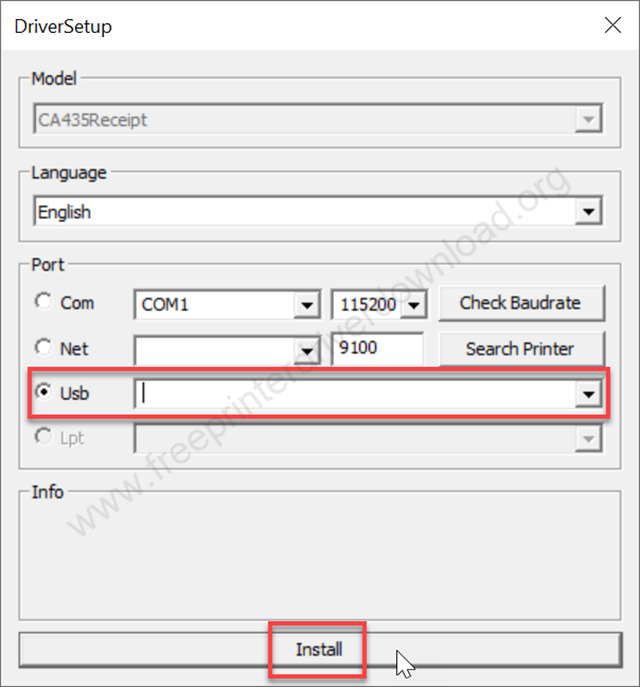
Step 5: Select the port USB: “USB001” and click on Install. This is very important step. Because the software will communicate with the printer hardware through this port. So please be careful here.

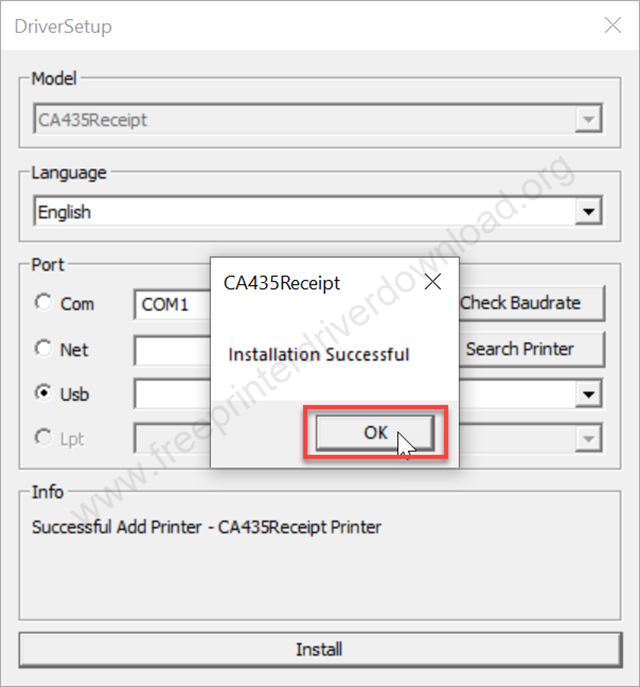
Step 6: As you can see the driver has been installed successfully. Click on OK to complete the installation process.
Specifications & Features
The Shreyans cd410 is a label, receipt and barcode printer. It is a 4” (100mm) thermal printer with Bluetooth connectivity. This printer is used mostly for shipping purposes mostly. This printer can fulfill all your printing need for shipping business.
To setup this printer on your mobile and PC is very easy. In mobile you just need to install its APP and for PCs you just need to install its driver that came with the printer. If you don’t have that driver CD that came with the printer then you can download the same drivers from the download section given above.