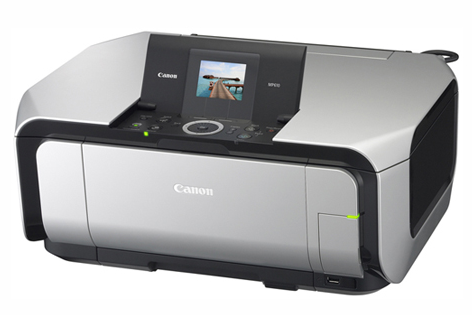
The Canon PIXMA MP610 printer can produce prints with amazing print resolution and remarkable clarity, but to fully utilize all the features of this printer you must use its latest version drivers for installation.
Therefore, I have prepared this guide to provide the download links of the latest version drivers of this printer along with their detailed installation instructions.
After downloading the driver, see the installation guide as well which is also given in the installation section below.
Download Canon MP610 Printer Drivers
Use these steps:
- Locate your operating system.
- Click its download button.
Canon MP610 Printer Driver for Windows
Full feature driver for Windows 2000, XP, Vista, 7, 8, 8.1 (32-bit)
Download (32-bit)
File Name: mp610swin101ea24.exe
Size: 23.61 MB
Version: 1.01
Type: Full feature driver
Language: All Language
Driver Pack Contains: Printer & scanner drivers
————————————————————
Full feature driver for Windows XP, Vista, 7 (64-bit)
Download (64-bit)
File Name: mp610swin64101ea24.exe
Size: 23.99 MB
Version: 1.01
Type: Full feature driver
Language: All Language
Driver Pack Contains: Printer & scanner drivers
————————————————————
Full feature driver for Windows 8, 8.1 (64-bit)
Download (64-bit)
File Name: mp610swin64101ea24.exe
Size: 23.99 MB
Version: 1.01
Type: Full feature driver
Language: All Language
Driver Pack Contains: Printer & scanner drivers
————————————————————
Full feature driver for Windows 10, 11, Server 2003 to 2022 (32, 64-bit)
Download
Driver for Mac
Full Feature driver for macOS 10.9 to 10.15, 11.x, 12.x, 13.x, 14.x
Download
————————————————————
Printer driver for macOS 10.5, 10.6, 10.7, 10.8
Download
File Name: mcpd-mac-mp610-10_67_2-ea11.dmg
Size: 11.1 MB
Version: 10.67.2.0a
Type: Basic driver
Language: All Languages
Driver Pack Contains: Printer driver
————————————————————
Scanner driver for macOS 10.5, 10.6, 10.7, 10.8
Download
File Name: msd_-mac-mp610-13_9_2a-ej7.dmg
Size: 6.8 MB
Version: 13.9.2b
Type: Basic driver
Language: All Languages
Driver Pack Contains: Scanner driver
Driver for Linux
Printer driver for Linux/Ubuntu (32-bit)
Download (32-bit)
File Name: MP610_debian.tgz
Size: 6.7 MB
Version: 2.80
Type: Basic driver
Language: All Languages
Driver Pack Contains: Printer driver
————————————————————
Scanner driver for Linux/Ubuntu (64-bit)
Download (64-bit)
File Name: mp610_debian.tar
Size: 7.34 MB
Version: 2.80
Type: Basic driver
Language: All Language
Driver Pack Contains: Scanner driver
————————————————————
Full feature driver for Linux/Ubuntu (64-bit)
Download
OR
Download the driver directly from the Canon MP610 official website.
How To Install Canon PIXMA MP610 Driver
You can easily avoid Canon MP610 printer driver download and installation mistakes by following the steps described below:
Step 1: Find the Driver
- You will get the latest version drivers from the Canon website or by using the download links above.
- In the Canon website, visit the support or downloads section.
- Search for printer model number (PIXMA MP610), click on ‘Drivers’ option, then select your OS version.
Step 2: Download the Driver
- Click on the download button of your printer drivers.
- Wait for the download to finish.
Step 3: Install the Driver
- In the downloads folder, locate and execute the driver setup file.
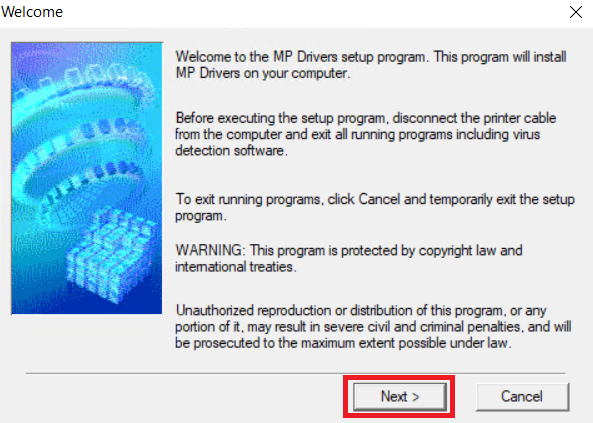
- Click on ‘Next’.
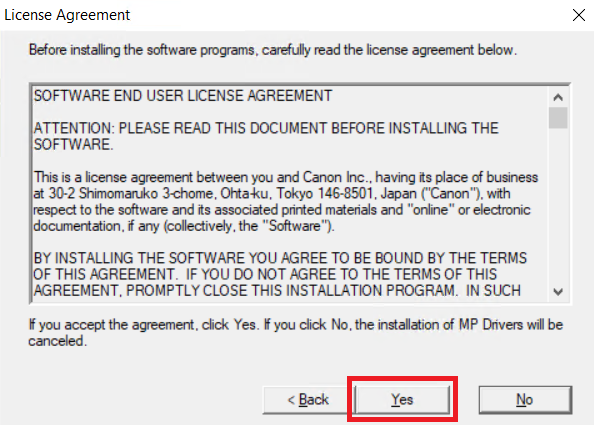
- Select your region, then click ‘Yes’ to accept the terms of the license agreement.
Step 4: Connect the Printer
- Wait for driver installation to complete, then connect your printer with your computer’s USB port, and click ‘Complete’.
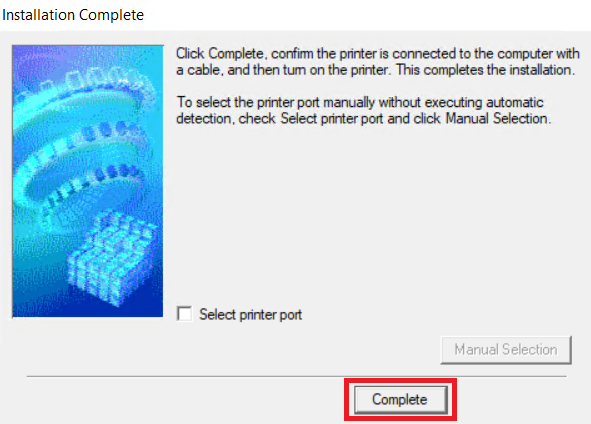
- Follow the instructions to complete the printer installation.
More information about installation:
- How to install the printer driver with its installer
- How to install the printer driver manually using its basic driver
That’s it, you have installed your Canon PIXMA MP610 printer.
More details about the drivers
Hardware Name: PIXMA MP610
Hardware ID: NA
Connection Type: USB Connection
Installer Type: Setup File (with Installer)
Driver Compatibility
The Canon PIXMA MP610 printer is compatible with the Windows 2000, XP, Vista, 7, 8 and 8.1 OS versions, but not with any Windows Server operating system. Also, this printer supports MacOS 10.5 to 10.8 OS versions, and 32-bit version of Linux/Ubuntu operating system.
Driver Update
You can ensure the best performance of your Canon printer when you regularly update its printer drivers with their latest version drivers, because the latest version drivers have no known bugs in them.
Supported Operating Systems
Windows 2000, XP, Vista, 7, 8, 8.1 (32, 64-bit)
Mac OS 10.5, 10.6, 10.7, 10.8
Linux