

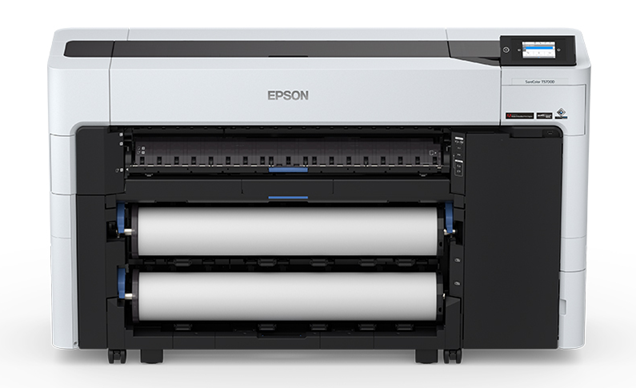
 The Epson SureColor T5630DM is a very versatile printer. It delivers excellent performance. But to keep this performance consistent, you must always update its drivers and software to the latest version. If you are looking to download its driver, in this guide, I have provided free download links and installation steps in one place. Go to the download section below and click on the download link according to your operating system. After download the driver, read the below given step-by-step guide on how to install Epson SureColor T5630DM on a computer. Let’s start the installation process by downloading the drivers first.
Download Epson SureColor T5630DM Plotter Driver
- Locate your preferred OS version.
- Click on its download button.
Epson SureColor T5630DM Plotter Driver for Windows
Full feature driver for Windows XP, Vista, 7, 8, 8.1, 10, 11, Server 2003 to 2022 (32, 64-bit)
Download (32, 64-bit)
File Name: Epson_SC-T5600DM_SeriesCMYK_EA4_50_Web.exe
Size: 2.4 MB
Version: 4.50
Type: Full feature driver
Language: All Language
Driver Pack Contains: Printer and scanner driver
————————————————————
Full feature driver for Windows Server 2025 (32, 64-bit)
Download
Driver for Mac
Printer driver for macOS 10.x, 11.x, 12.x, 13.x, 14.x, 15.x, 26.x
Download
Driver for Linux
Printer driver for Linux and Ubuntu
Download
OR
Download the driver directly from the Epson SureColor T5630DM Plotter official website.
How To Install Epson SureColor T5630DM Printer Driver
I will describe in the steps given below the right way to download and install the latest Epson SureColor T5630DM plotter driver:
Step 1: Find the Driver
- You can download the latest driver from the official Epson website or by using the free download links of this guide.
- In the Epson website, go to the support/downloads page.
- Search for the drivers by using the printer model (SureColor T5630DM), then select your preferred OS version.
Step 2: Download the Driver
- Click the download link of your preferred driver.
- Wait for the driver setup file download to complete.
Step 3: Install the Driver
- Find and run the downloaded setup file.
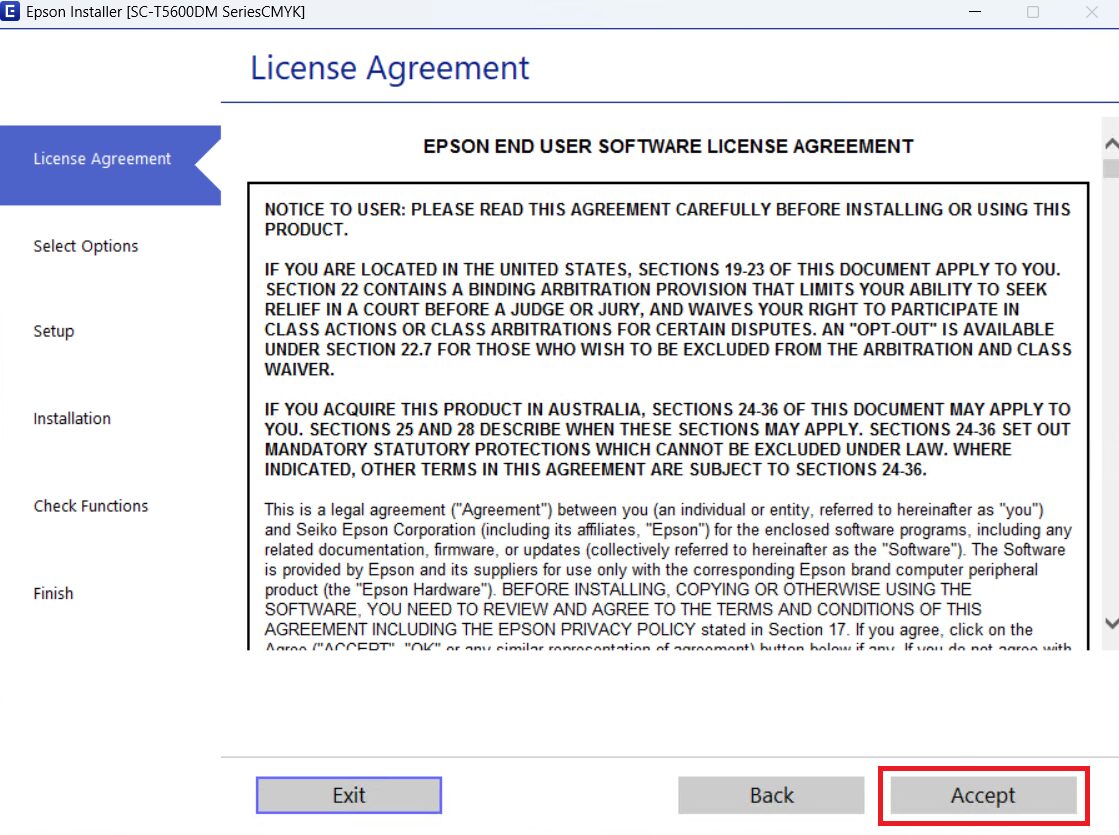
- Click on ‘Accept’ to agree with the license agreement.
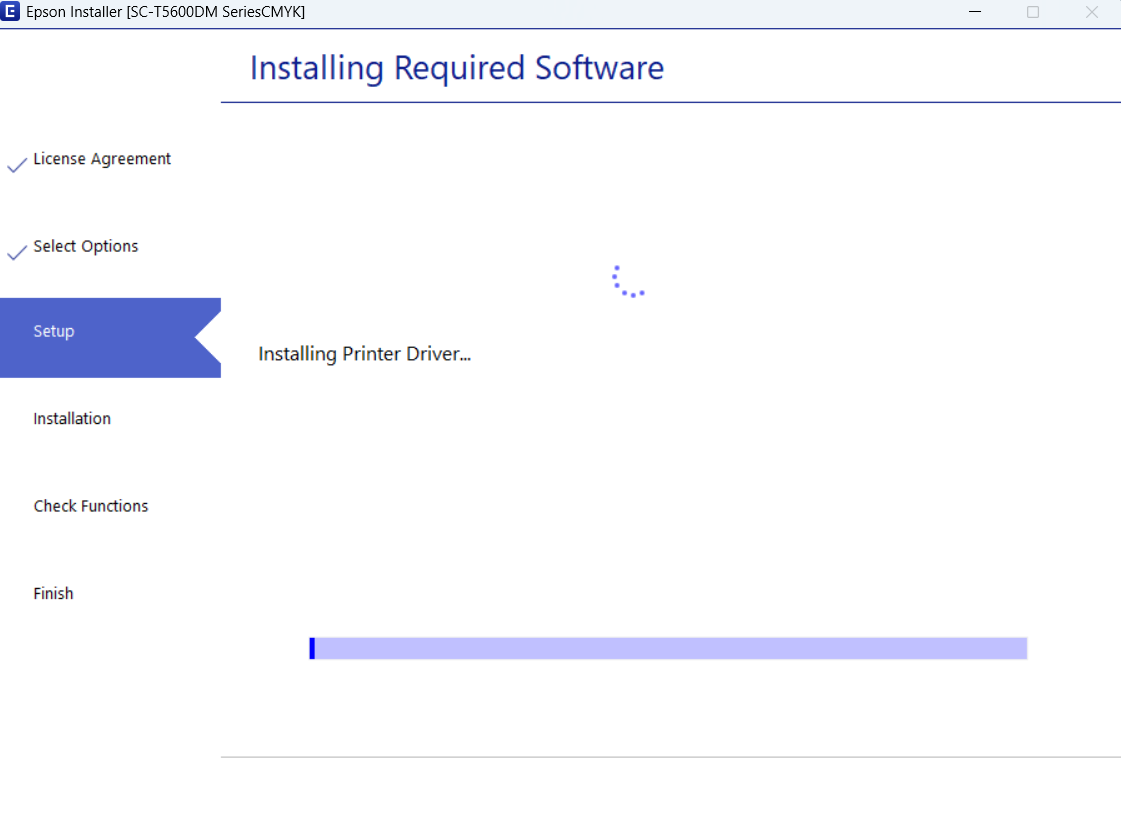
- Wait for the drivers to download and install on your computer.
Step 4: Connect the Printer
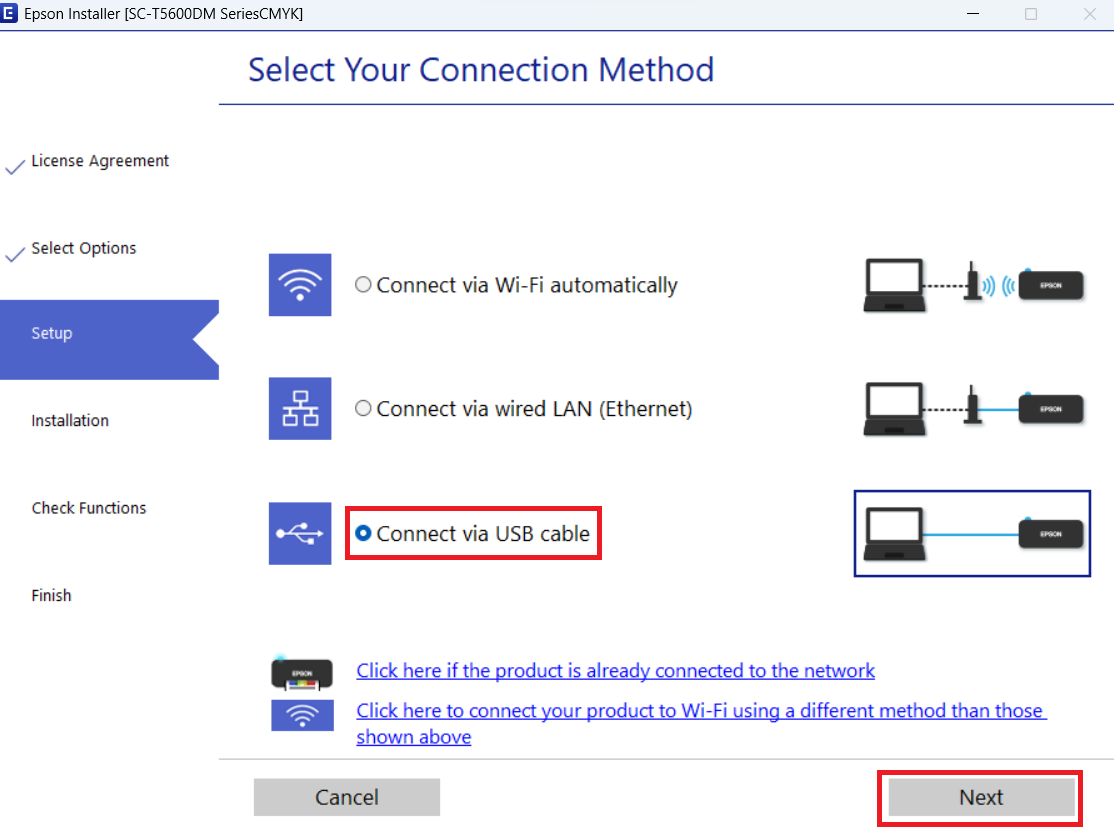
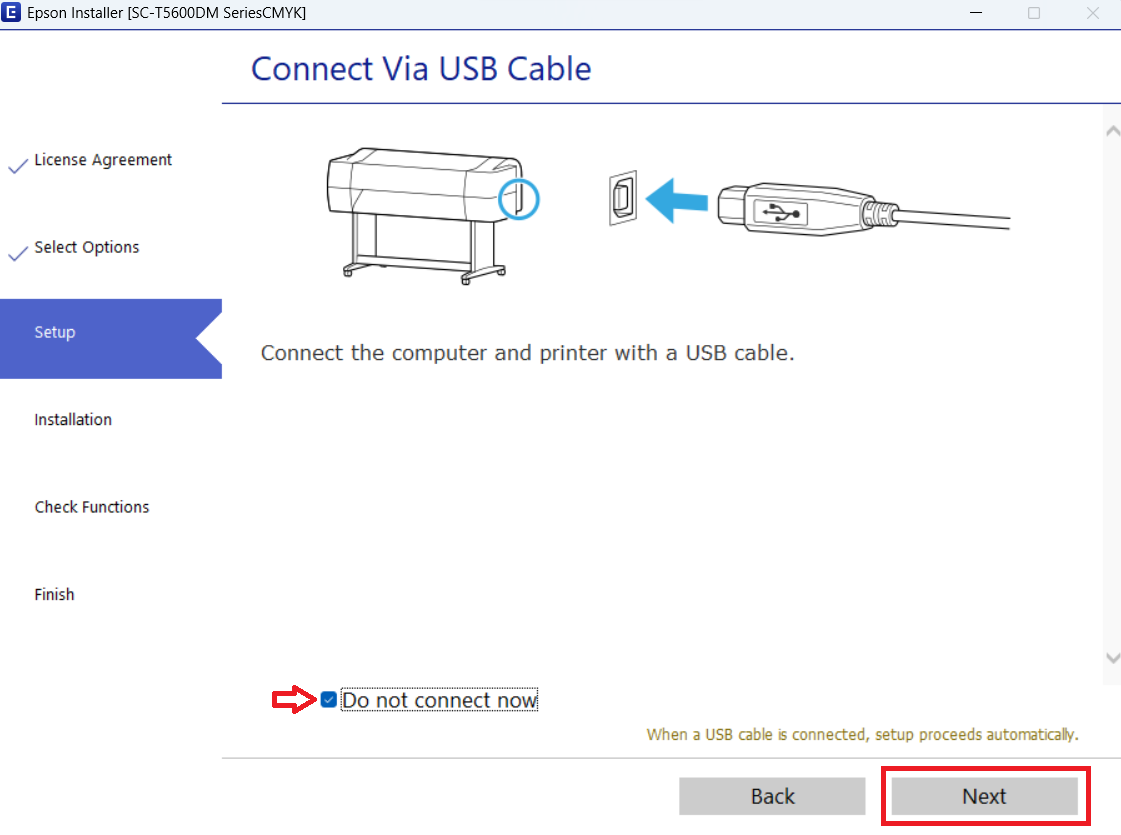
- Select ‘Connect via USB cable’ option, then click on ‘Next’.
- You can connect your printer now or select the option to connect later, then click ‘Next’.
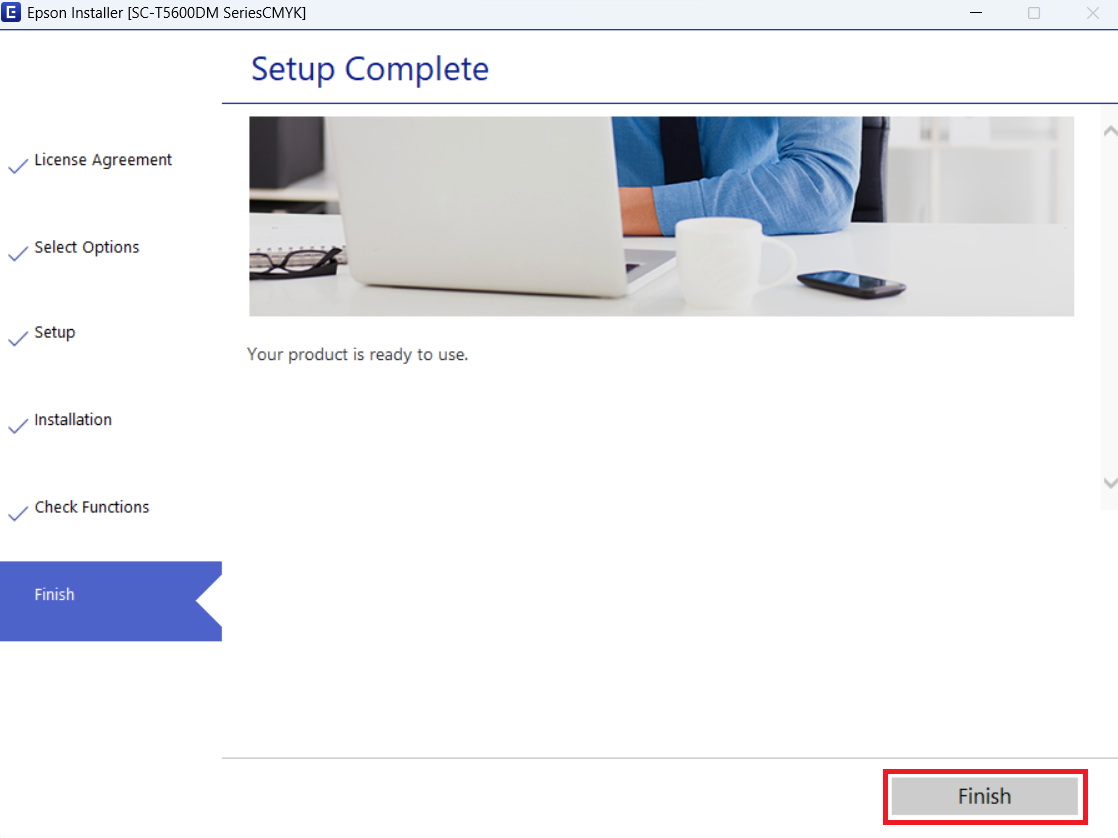
- Click ‘Finish’ to close the installer.
More information about installation:
- How to install the printer driver with its installer
- How to install the printer driver manually using its basic driver
That’s it, you have successfully installed the Epson SureColor T5630DM plotter.
More details about the drivers
Hardware Name: SureColor SC-T5630DM
Hardware ID: C11CK09401
Connection Type: USB/Ethernet/Wireless connections
Installer Type: Setup File (with Installer)
Driver Compatibility
This printer is compatible with the Windows XP and higher OS versions, Server 2003 up to 2002 OS versions, Mac 10.6 and higher OS versions, and Linux/Ubuntu operating systems.
Driver Update
Updating the drivers of this printer with their latest version can enhance the printing and scanning abilities of this plotter.
Supported Operating Systems
Windows XP, Vista, 7, 8, 8.1, 10, 11, Server 2003, 2008, 2012, 2019, 2022 (32, 64-bit)
Mac OS 10.6 and higher
Linux






