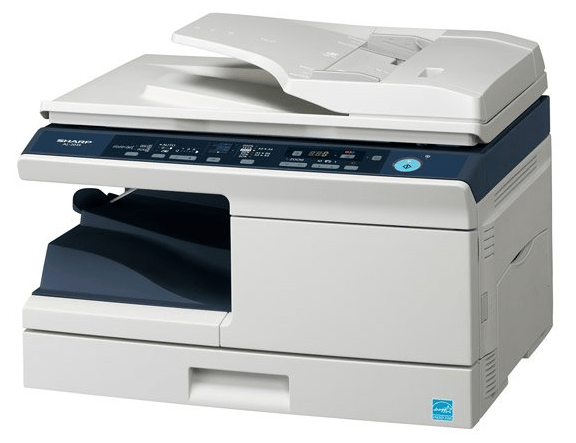
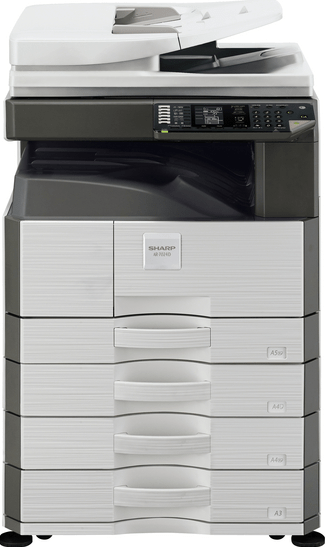
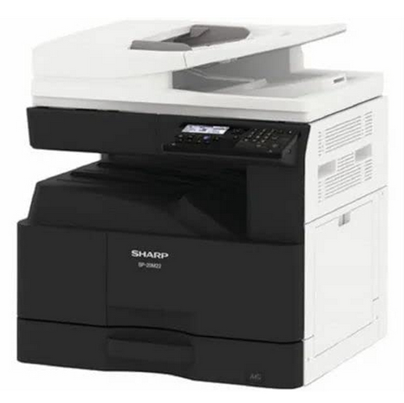
 The Sharp BP-20M22 printer is a great choice for office users. However, for the stable and efficient performance of this multi-function printer you must install it by using its latest version drivers.
In this guide, I will provide single-click download links to download the latest driver of this printer. Moreover, I will explain the complete process to install this printer on a Windows computer, just beneath the download section. So let’s start the installation process by start downloading the drivers – let’s see how to do that, please follow the below given steps.
Download Sharp BP-20M22 Printer Driver
Follow these steps:
- Locate your operating system in the OS list.
- Click on its download link to download the driver.
Sharp BP-20M22 Driver for Windows
Full feature driver for Windows XP, Vista, 7, 8 (32, 64-bit)
Download
————————————————————
Basic printer driver for Windows 8.1, 10 (32-bit)
Download (32-bit)
File Name: SH_D20_PCL6_PS_2204a_English_32bit.exe
Size: 12.3 MB
Version: 08.06.05.23
Type: Basic driver
Language: All Language
Driver Pack Contains: Printer driver
————————————————————
Basic printer driver for Windows 8.1, 10, 11, Server 2012 to 2025 (64-bit)
Download (64-bit)
File Name: SH_D20_PCL6_PS_2204a_English_64bit.exe
Size: 13.6 MB
Version: 08.06.05.23
Type: Basic driver
Language: All Language
Driver Pack Contains: Printer driver
————————————————————
Basic scanner driver for Windows 8.1, 10, 11, Server 2012 to 2025 (32, 64-bit)
Download (32, 64-bit)
File Name: MX_S42_TWAIN_2505a_EnglishUS_32bit64bit.exe
Size: 4.9 MB
Version: 3.01.072.000
Type: Basic driver
Language: All Language
Driver Pack Contains: Scanner driver
————————————————————
Full feature driver for Windows Server 2003, 2008 (32, 64-bit)
Download
————————————————————
Sharp Remote Device Manager for Windows (32, 64-bit)
Download (32, 64-bit)
File Name: SRDM-actual-Version.zip
Size: 654.0 MB
Version: 2.20
Type: Remote device manager
Language: All Language
Driver Pack Contains: Remote device manager
Driver for Mac
Basic printer driver for macOS 10.15, 11.0, 12.0, 13.0, 14.0, 15.0, 26.0
Download
File Name: MX-C55c_2512a_MacPS.dmg
Size: 14.0 MB
Type: Basic driver
Version: 2.16.0.9
Language: English
Driver Pack Contains: Printer driver
————————————————————
Basic printer driver for macOS 10.10, 10.11, 10.12, 10.13, 10.14
Download
File Name: MX-C55b_2412a_MacPS.dmg
Size: 18.8 MB
Type: Basic driver
Version: 1.21.0.3
Language: English
Driver Pack Contains: Printer driver
Driver for Linux
Basic printer driver for Linux and Ubuntu
Download
File Name: sharp-1.0-mx-c55-6-ps.tar.gz
Size: 41.2 KB
Type: Basic driver
Version: 1.0
Language: English
Driver Pack Contains: Printer driver
OR
Download the driver directly from the Sharp BP-20M22 official website.
How To Install Sharp BP-20M22 Printer Driver
Now I will explain the download and installation steps of the latest Sharp BP-20M22 printer driver.
Step 1: Find the Driver
- You will find the latest version driver on the Sharp website or in the downloads section of this guide.
- In the Sharp website, visit the support/downloads page.
- Select the Driver section, select your region, enter your printer model number (BP-20M22), select your preferred language, then click on ‘Next’. Finally, select your preferred OS version.
Step 2: Download the Driver
- Click the download link related to your preferred driver.
- Wait for the driver setup file download to finish.
Step 3: Install the Driver
- Find and run the newly downloaded driver setup file.
- Click on ‘Next’.
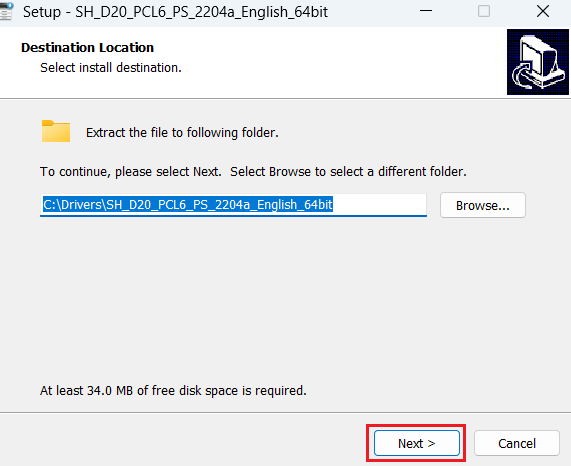
- Wait for the files to extract on your computer.
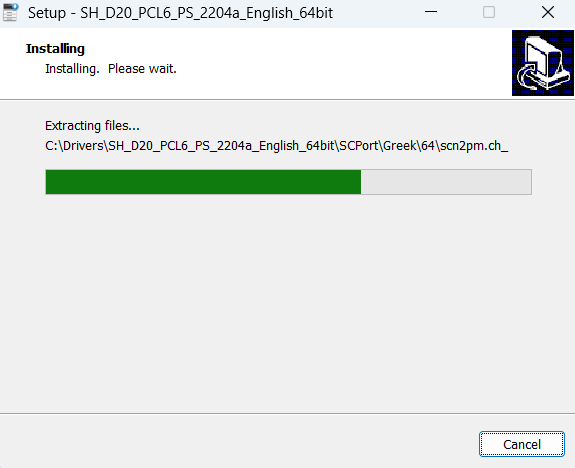
Step 4: Connect the Printer
- Select ‘Standard installation’ option.
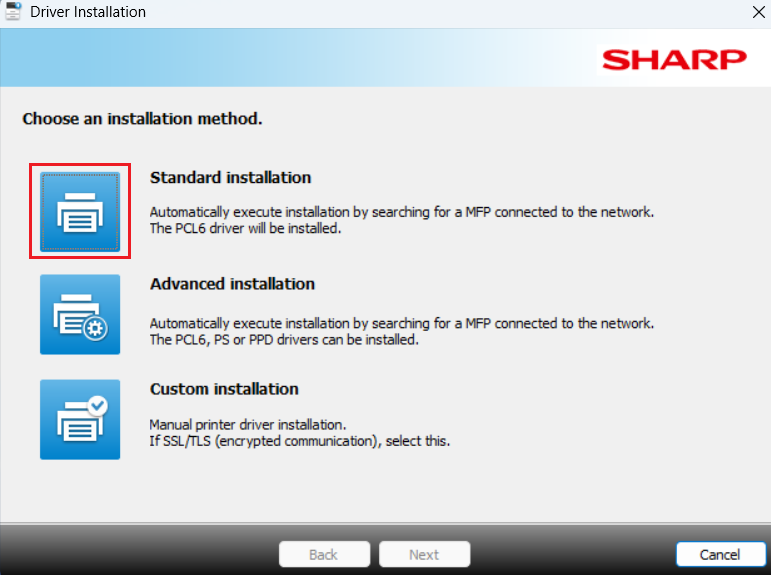
- Start your Sharp printer, connect it with the USB port of your computer, and wait for the installer program to detect your printer.
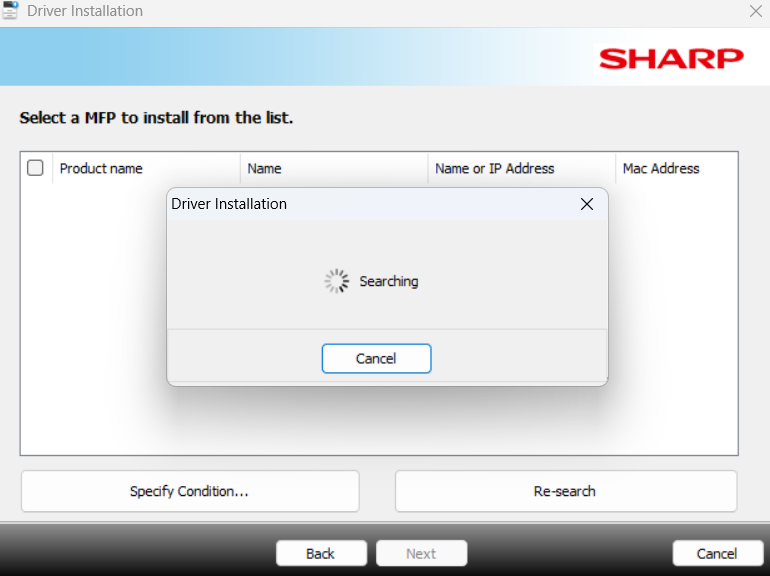
- Follow the onscreen prompts to complete the installation process.
More information about installation:
- How to install the printer driver with its installer
- How to install the printer driver manually using its basic driver
That’s it, installation of the Sharp BP-20M22 printer has completed successfully.
More details about the drivers
Hardware Name: BP-20M22
Hardware ID: USBPRINTSHARPBP-20M22PCL_PS9F7E
Connection Type: USB/Ethernet/Wireless Connection
Installer Type: Setup File (with Installer)
Driver Compatibility
This printer supports Windows 8.1 and higher OS versions, Server 2012 and higher OS versions. As for macOS, this printer is compatible with the MacOS 10.6 and higher OS versions. This printer supports Linux/Ubuntu operating systems.
Driver Update
You must keep your printer driver updated with their latest version as it will allow your printer to deliver its most efficient performance.
Supported Operating Systems
Windows 8.1, 10, 11, Server 2012, 2016, 2019, 2022, 2025 (32, 64-bit)
Mac OS 10.6 to 26.0
Linux