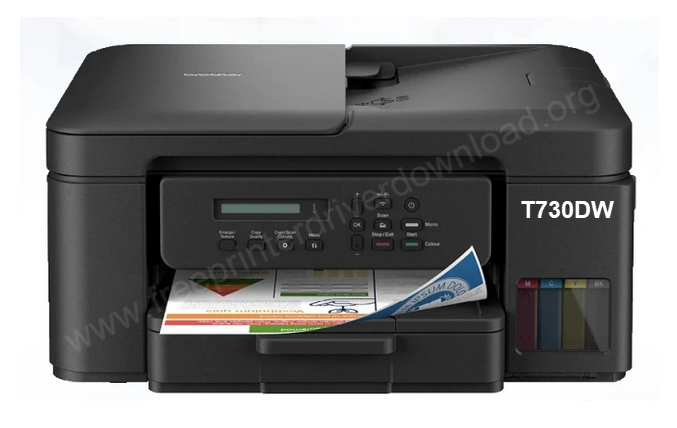
Brother DCP-T730DW is an ink-tank color printer with WiFi connectivity. It has a tiny LCD display and 128MB memory to handle multiple print-outs at a time. It is a multifunctional printer, to use all its functions through the computer, you need to install its latest version driver on your computer. It is not necessary to install its software but if you do, it will give you lots of more features to handle this printer smoothly through your computer.
Although you can get the Brother DCP-T730DW drivers from Brother’s official website, but you can also download the same from the download section given below. I have given the driver download link for your convenience only, or if the official website doesn’t work. I have given the driver download link for Windows, Linux and Mac OS.
After downloading the drivers, you must know the right process to install this printer. Beneath the download section, I have prepared a step-by-step installation guide which will help you how to install Brother DCP-T730DW printer on a Windows computer.
Download Brother Ink Tank DCP-T730DW Printer Driver
From here, you may download the T730DW printer driver from its official website but to make this driver download easy, I have provided the driver download link below. Click on the download link below according to your operating system.
Driver for Brother DCP T730DW Printer
Type: Full feature driver Operating System: Windows 11, 10, 8, 8.1, 7, Vista, XP File Size: 140 MB Version: 2.91 Download DriverOR
Alternatively, you may download the same drivers from Brother’s official website as well.
How to Install Brother Ink Tank DCP-T730DW Printer Driver in Windows
In order to properly setup this printer on a computer, you need follow the following steps installation guide.
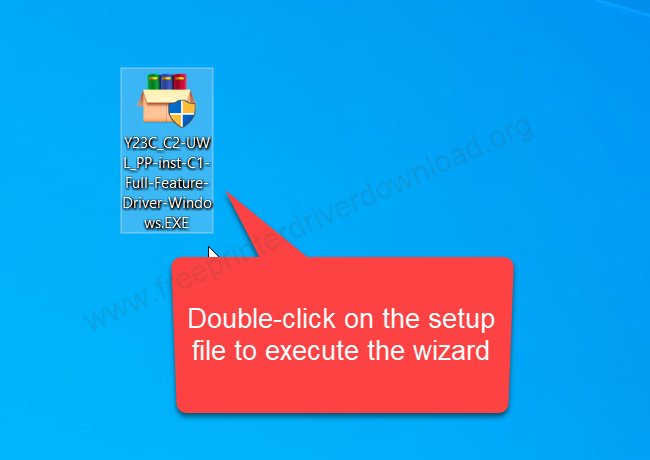
Step 1: Download the full future driver file (Y23C_C2-UWL_PP-inst-C1-Full-Feature-Driver-Windows.exe) from the above given download section and then double-click on it to execute the installation wizard.
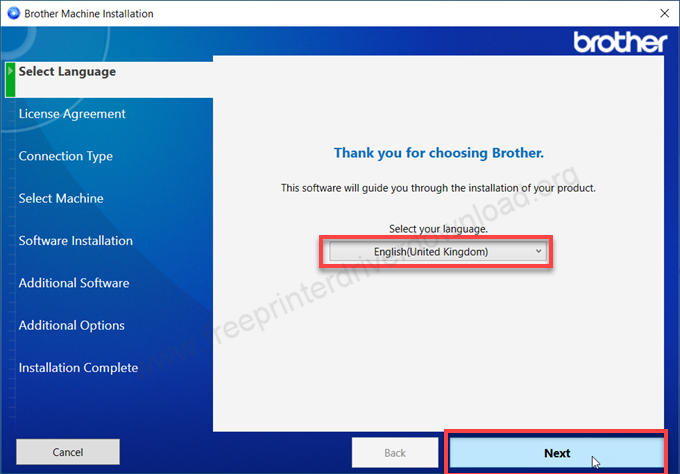
Step 2: Choose your preferred language and then click on next.
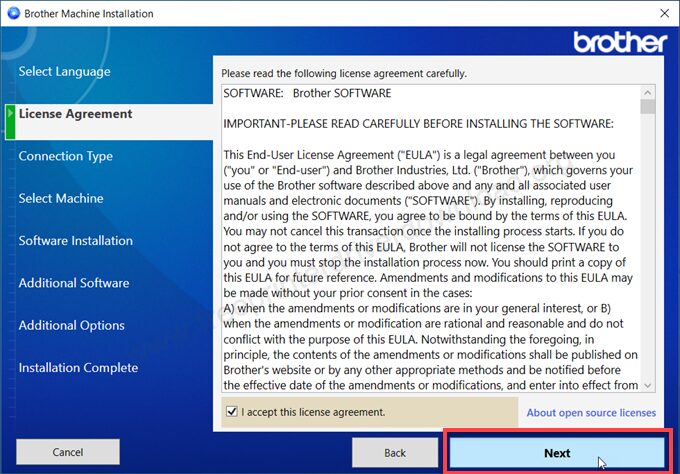
Step 3: Tick on the check-box “I accept this license agreement” and then click on next.
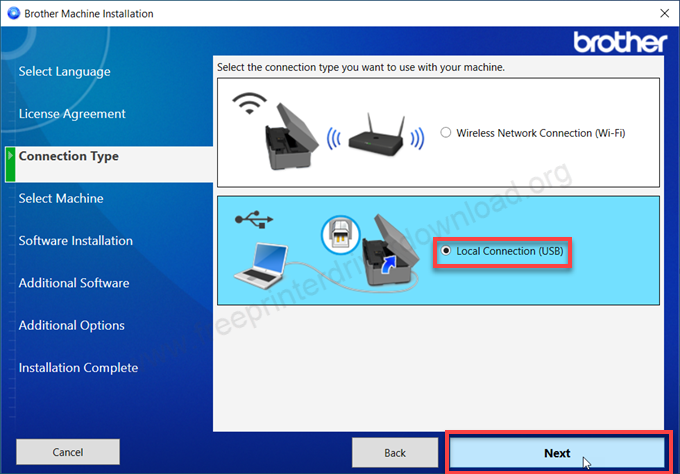
Step 4: Now kindly choose the preferred connection type: WiFi or USB and then click on next.
Step 5: You will have to wait here while it searches for the printer connection.
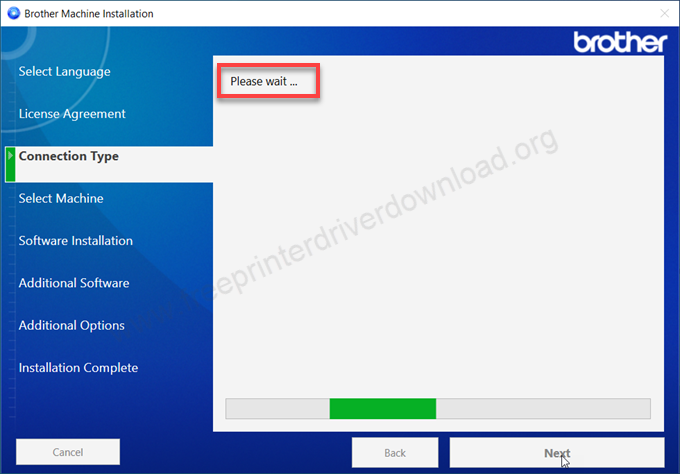
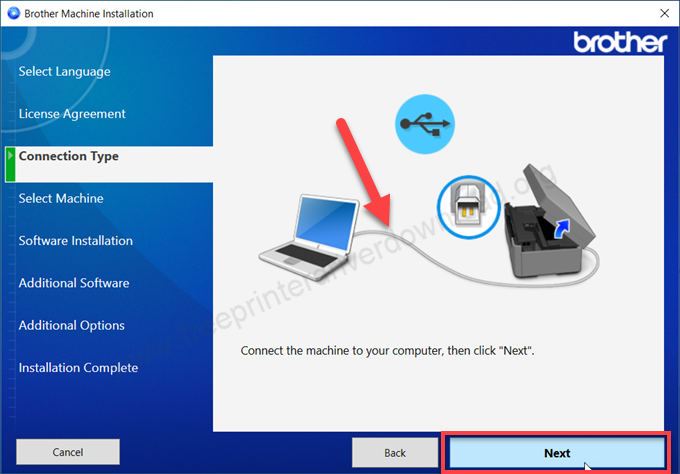
Step 6: It seems like printer not detected, so please connect the USB cable of your printer and make sure it is connected properly and it is turned ON.
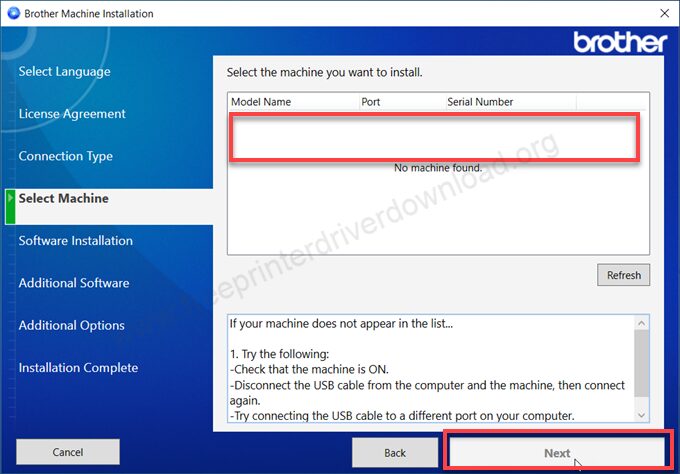
Step 7: The printer will be listed here, you just need to select the printer and click on next and then click on finish to complete the installation process. After that the Brother DCP-T730DW printer will be installed successfully.
Specifications & Features
Brother DCP-T730DW is a compact inkjet printer, but it uses ink-tanks to store the ink in the printer and uses nozzles to print. No doubt that the ink-tank system gives you very low cost printing. This printer can print, scan and copy as well. It has 128MB of memory to handle multiple print commands and a small LCD display to navigate the printer settings easily. Thanks to the ink-tank system, this printer gives up to 16 IPM print speed with a resolution of 1200 x 600 dpi. The copy resolution is 1200 x 600 dpi and the scan resolution is up to 1200 dpi.
This printer comes with an auto-duplex feature (2-sided printing) which makes it a most powerful product. To do auto-duplex, it has an ADF on the top of the printer which has a capacity of 20 pages holding at a time. It has one input tray which can hold up to 150 pages (up to 80GSM) and one output tray which can hold up to 50 pages at a time.
Now let’s talk about its connectivity. This printer has two connectivity options: WiFi, Wi-Fi Direct and USB. Both of the connections are seen to be very stable in this printer. To use this printer from the PC, you will have to install its latest version drivers. This printer supports: Windows 11, 10, 8, 8.1, 7, Vista, XP (32bit / 64bit), Server 2000 to 2025, Linux, Ubuntu, Mac 10.x, 11.x, 12.x, 13.x, 14.x, macOS 15 Sequoia, 26.x Tahoe Operating Systems. To connect this printer through mobile, you can use Air-Print for iPhones and Brother Mobile Connect App for Android users.
The dimensions of this printer are 390mm width, 343mm depth and 182mm height. The total weight of this printer is around 8.5 Kilograms.