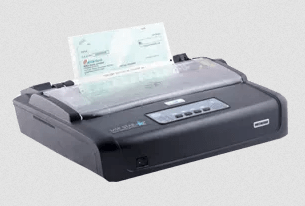
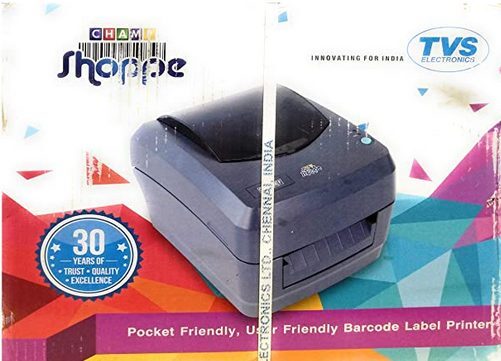
 The TVS CHAMP SHOPPE printer has been built for continuous operation, but sometimes it can encounter performance issues. However, you can easily resolve such issues by installing this printer using its latest version drivers.
If you are having trouble finding such drivers, then I have shared below download links of the latest version drivers of this printer, along with their installation instructions.
Download TVS CHAMP SHOPPE Driver
- In our OS list, locate your preferred operating system.
- Click on its download link.
TVS CHAMP SHOPPE Printer Driver for Windows
Basic printer driver for Windows 2000, XP, Vista, 7, 8, 8.1, 10, 11, Server 2003 (32, 64-bit)
Download (32, 64-bit)
File Name: tvs-rp-champ-driver.zip
Size: 1.20 MB
Version: NA
Type: Basic driver (with installer)
Language: English
Driver Pack Contains: Printer driver
————————————————————
Basic printer driver for Windows 2000, XP, Vista, 7, 8, 8.1, 10, 11, Server 2003 (32, 64-bit)
Download (32, 64-bit)
File Name: tvs-rp-champ-basic-inf-driver.zip
Size: 1.63 MB
Version: 4.0.1.0
Type: Basic driver (without installer)
Language: English
Driver Pack Contains: Printer driver
————————————————————
Printer driver for Windows Server 2008, 2012, 2016, 2019, 2022, 2025 (32, 64-bit)
Download
Driver for Mac
Full Feature driver for macOS 10.x, 11.x, 12.x, 13.x, 14.x, 15.x
Download
Driver for Linux
Full Feature driver for Linux and Ubuntu
Download
OR
Download the driver directly from the TVS CHAMP SHOPPE printer official website.
How To Install TVS CHAMP SHOPPE Driver
Follow the steps given below to download and install the latest TVS CHAMP SHOPPE driver on your computer.
Step 1: Find the Driver
- You can download the latest version drivers either from the TVS official website or via the download links provided in this guide.
- Go to the TVS website, under ‘Products’, click on ‘Printers’, then select ‘POS DMP’ printer.
- Choose ‘CHAMP SHOPPE’ printer, in the product page, locate and click on ‘Downloads’ option.
Step 2: Download the Driver
- Click the download link of your preferred printer driver.
- Wait as the driver setup file downloads.
Step 3: Install the Driver
- Find and unzip the downloaded driver file, usually it will be in the Downloads folder.
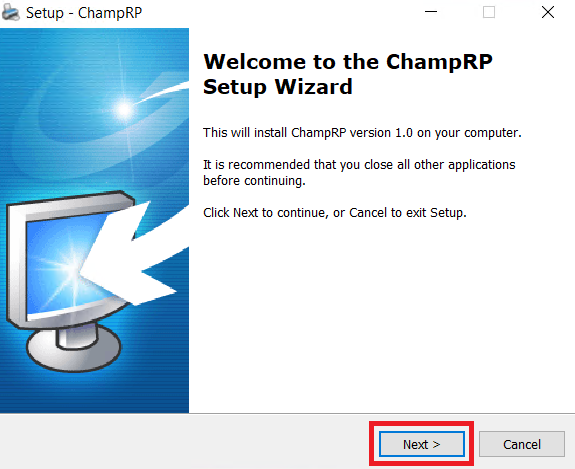
- Run the driver setup file, then click on ‘Next’.
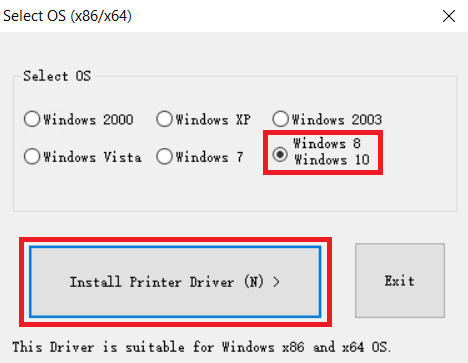
- Select your OS version, I selected ‘Windows 8 Windows 10’, then click on ‘Install Printer Driver’.
Step 4: Connect the Printer
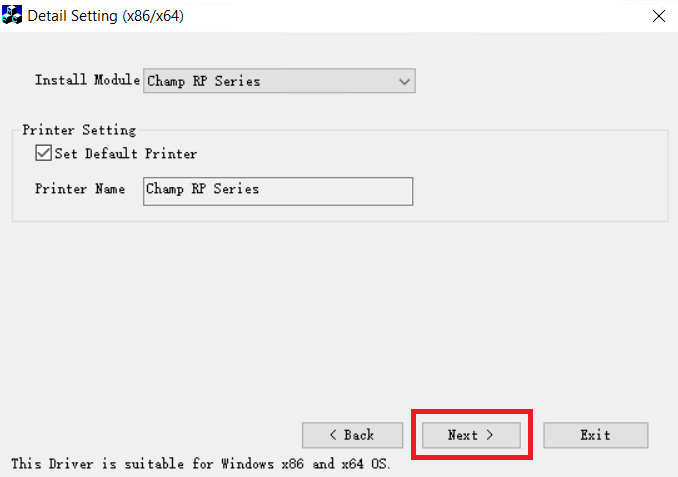
- Make sure ‘Champ RP Series’ is selected, then click on ‘Next’.
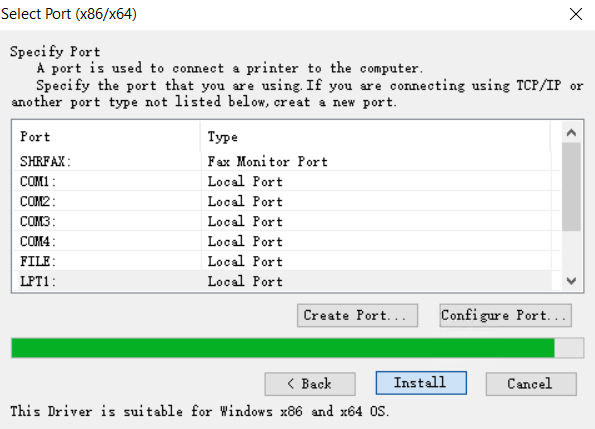
- Select ‘USB’ port, then click on ‘Install’, and wait for the drivers to install.
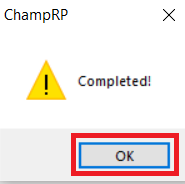
- Click on ‘OK’ to complete installation.
More information about installation:
- How to install the printer driver with its installer
- How to install the printer driver manually using its basic driver
That’s it, you have installed the TVS CHAMP SHOPPE printer.
More details about the drivers
Hardware Name: CHAMP SHOPPE
Hardware ID: USBPRINTCHAMP_SHOPPE(U)1A849
Connection Type: USB, Serial (optional) connection
Installer Type: Setup File (with Installer)
Driver Compatibility
This printer is compatible with the Windows 2000, XP or higher OS versions, and also Server 2003, but not with later versions of Windows Server OS. This printer doesn’t support MacOS, but is compatible with Linux operating system.
Driver Update
Keeping your printer drivers up-to-date with their latest version ensures that your printer will keep delivering its best performance.
Supported Operating Systems
Windows 2000, XP, Vista, 7, 8, 8.1, 10, 11, Windows Server 2003 (32, 64-bit)
Linux